
Quick Start
The fastest path from authentication to a first posted ledger transaction.
Introduction
This Quick Start is written for engineers. It walks through the minimum set of API calls to authenticate, create a ledger, create ledger accounts, post a transaction, and read balances. Each step links to the full reference in the API Reference.
A sandbox is not yet available for Ledgers-aaS. To test safely, create a dedicated test ledger inside your organization and run controlled transactions against it.
1. Authenticate
Authenticate with the PayMongo platform before calling any ledger endpoint. Use the Authorization guide to obtain credentials and confirm your integration has access to the Ledgers API.
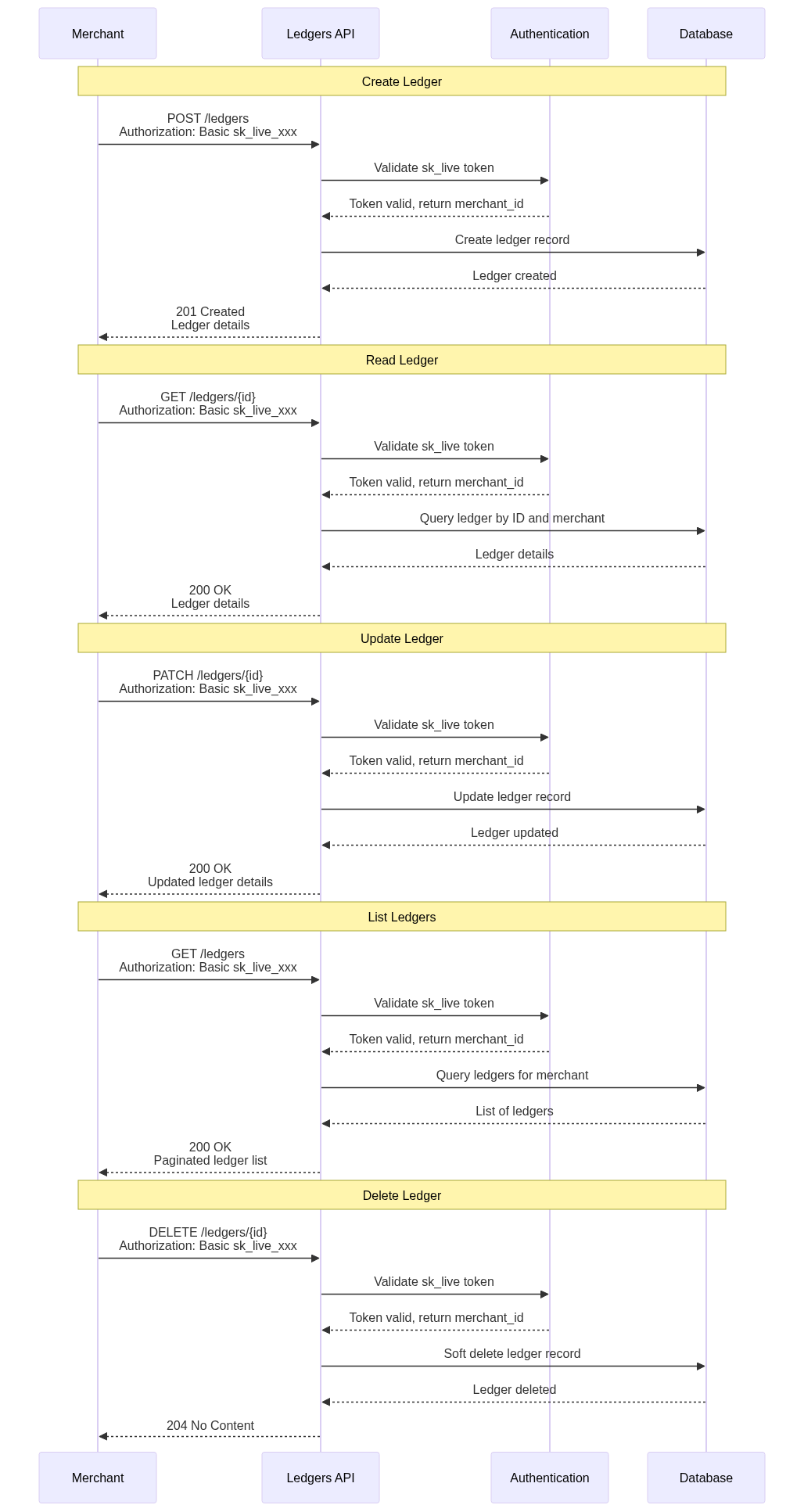
2. Create a ledger
Create your organization's primary ledger. This is the system of record that will hold every ledger account and transaction you create afterward.
See: Create Ledger
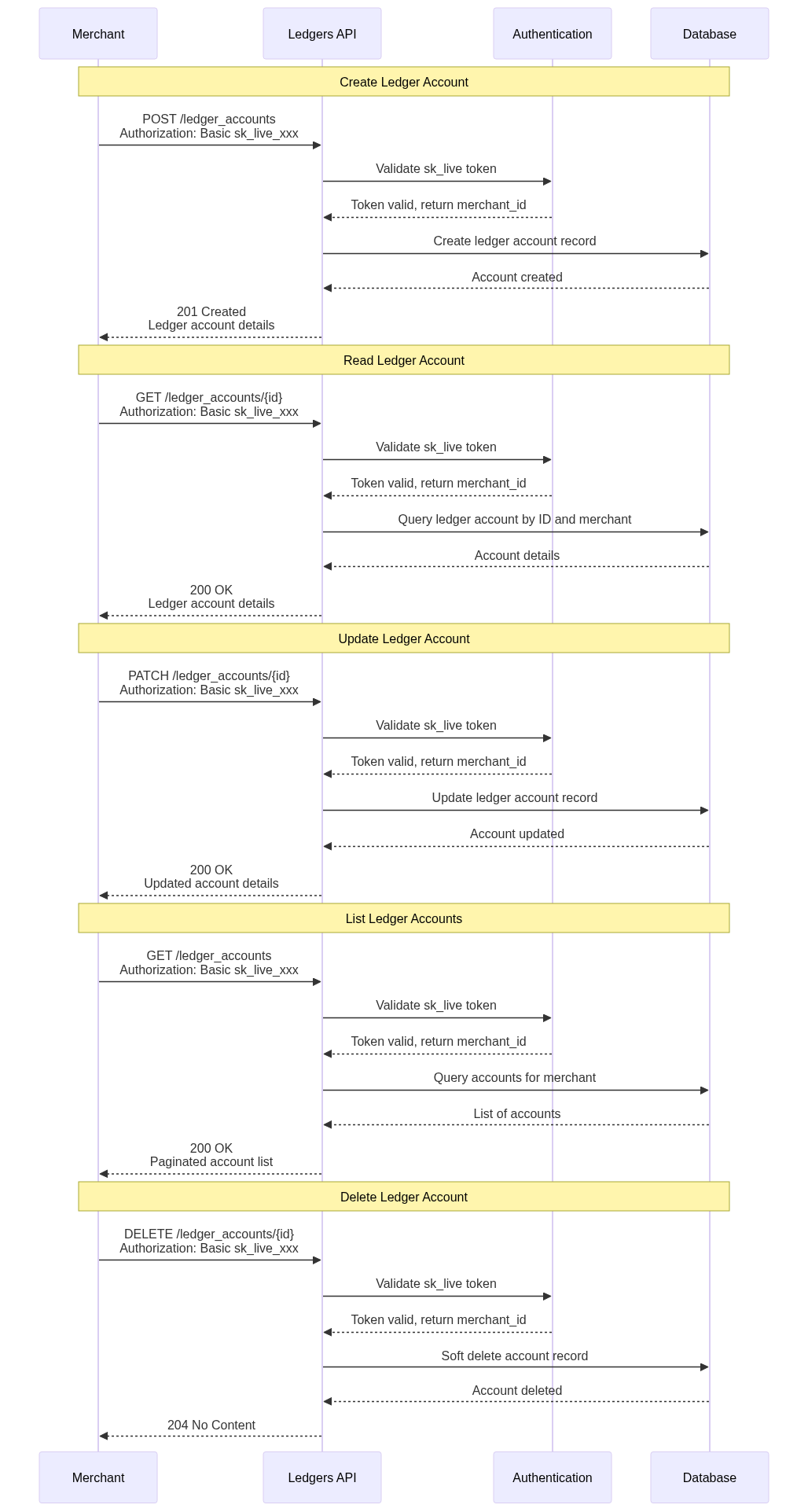
3. Create ledger accounts
A ledger can hold many ledger accounts — one per user, merchant, or internal entity. Each account maintains its own posted, pending, and available balances independently.
4. Manage your ledger
Use these endpoints to read and maintain your ledger over its lifetime:
- Retrieve Ledger — fetch a ledger by ID, including metadata, configuration, and associated accounts.
- List Ledger Accounts — list every ledger account linked to your organization. Useful for syncing with internal systems.
- Update Ledger — change a ledger's metadata or settings.
- Delete Ledger — remove a ledger. This action is irreversible and removes all associated data.
5. Post a transaction
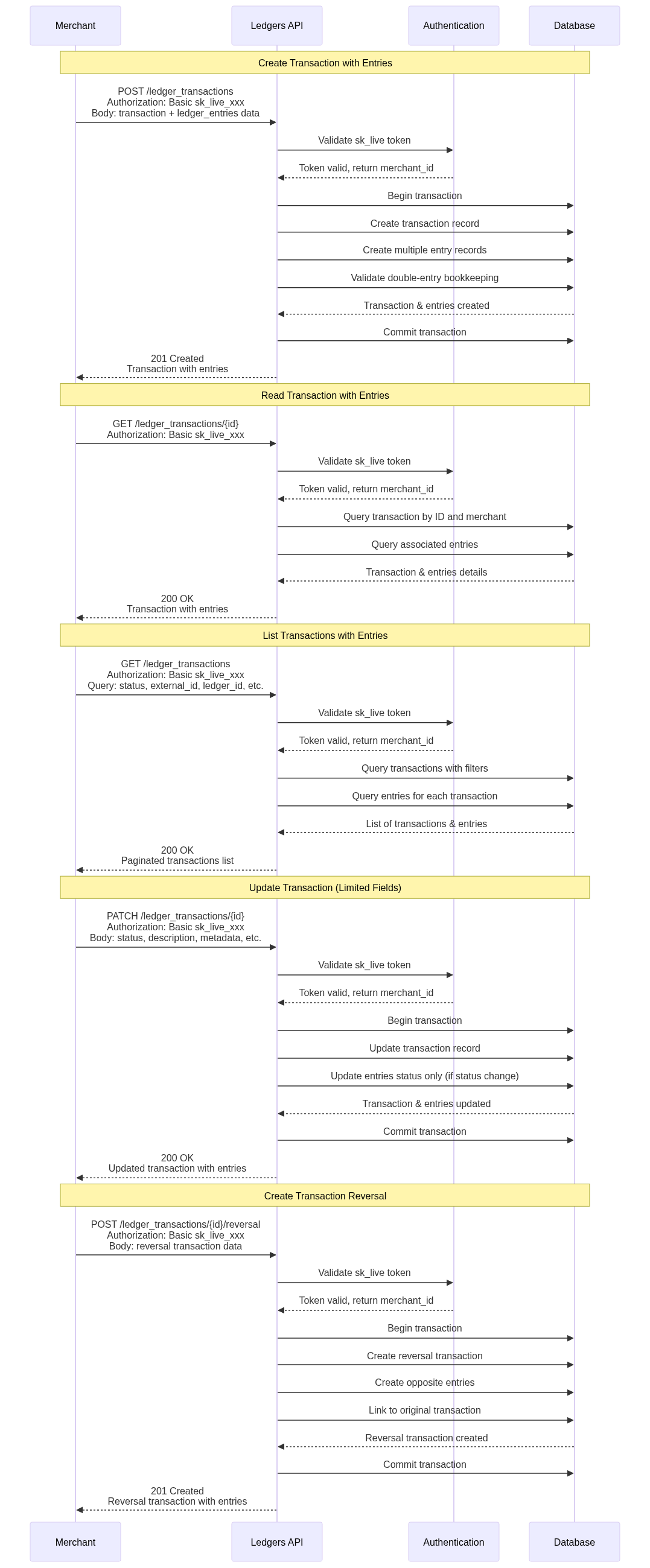
A transaction moves value between ledger accounts. Every transaction must contain at least one debit and one matching credit so the ledger stays balanced.
Use the CRUD endpoints for Ledger Transactions to create, retrieve, update, and list transactions.
6. Inspect entries and balances
After posting a transaction, verify the result by reading its entries and the resulting balances.
- Ledger Entries — retrieve, list, and update the individual debit and credit movements that make up a transaction.
- Ledger Balances — read posted, pending, and available balances for a ledger account in real time.
Next steps
- Review Key Concepts to confirm your mental model before scaling out.
- Walk through the Use Cases to see how teams structure ledgers and accounts for marketplace, payout, wallet, and reconciliation patterns.
Updated 5 months ago