
Quick start
The fastest path to getting started with PayMongo Capital — applying for Capital as a merchant, or creating your first offer as a lender.
For merchants: apply for Capital and get funded
Before you begin
Capital offers come from partner lenders, and each lender sets their own criteria. In general, you'll need a verified PayMongo account with a steady transaction history — usually at least a few months of live sales. There is no guaranteed offer; if you qualify, your lender will invite you.
If you've received an offer, here's how to proceed:
-
Confirm you have a verified PayMongo account. Capital eligibility requires a fully verified business account processing live transactions.
-
Open Dashboard → Capital -> Offers. If a partner lender has invited you to an offer, you will see it here. Each offer shows the loan type, amount range, fee structure, repayment rate, and the lender's name.
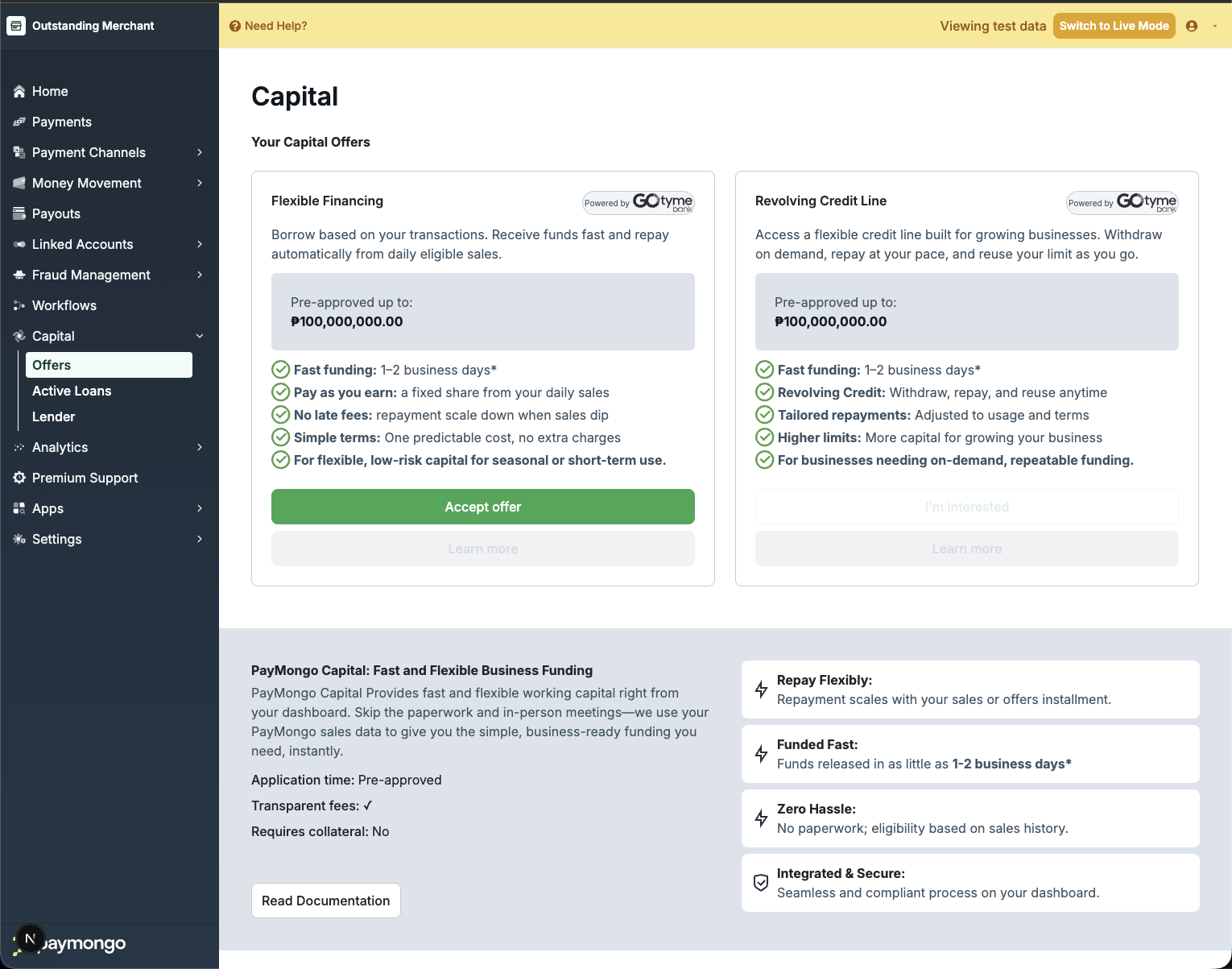
Capital Offers
-
Review the offer and apply. Tap the offer to see the full terms and the data-sharing consent screen. Choose your desired principal amount (within the offer's range) and term, attach any required supporting documents, and submit your application.
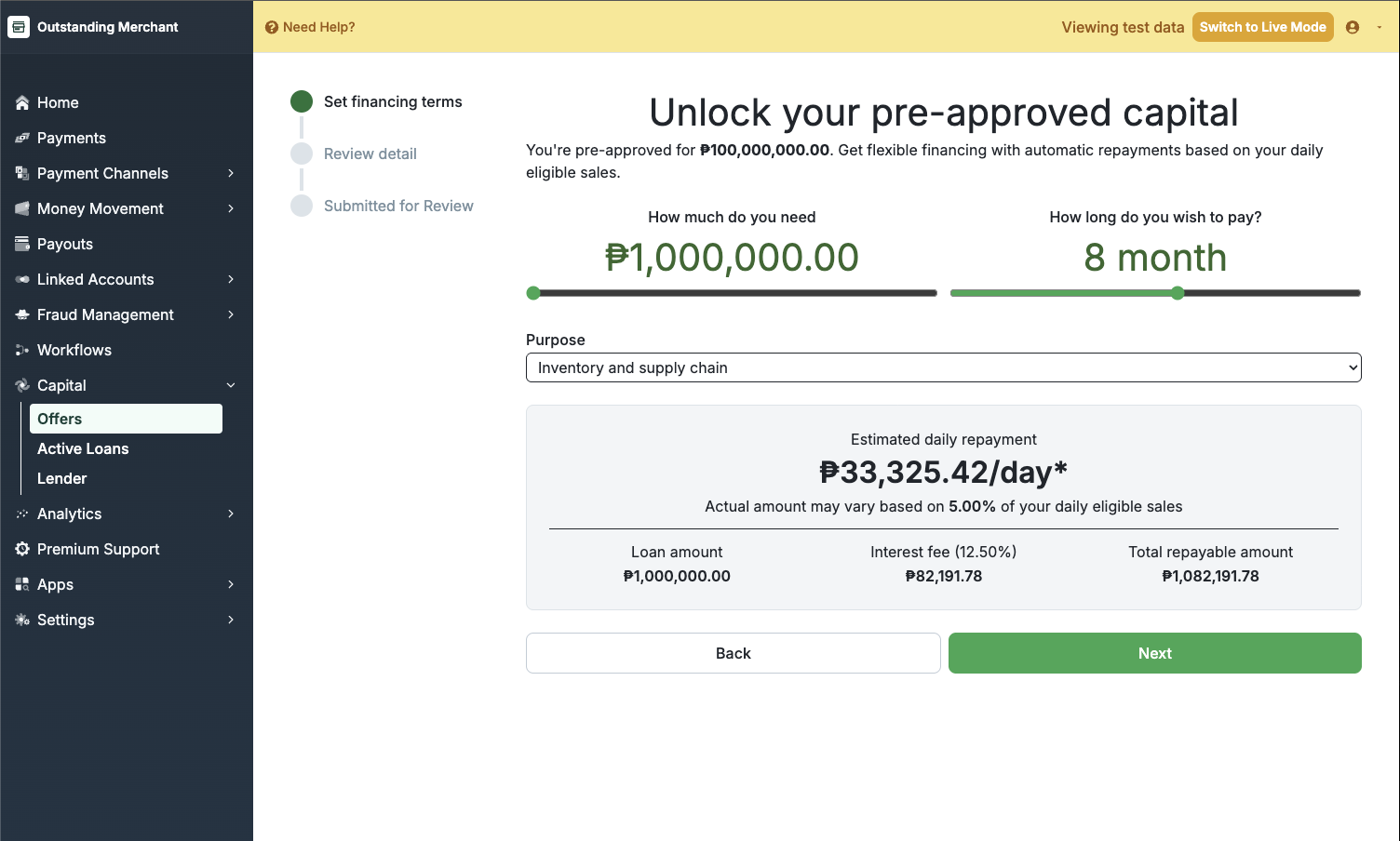
Set Financing Terms
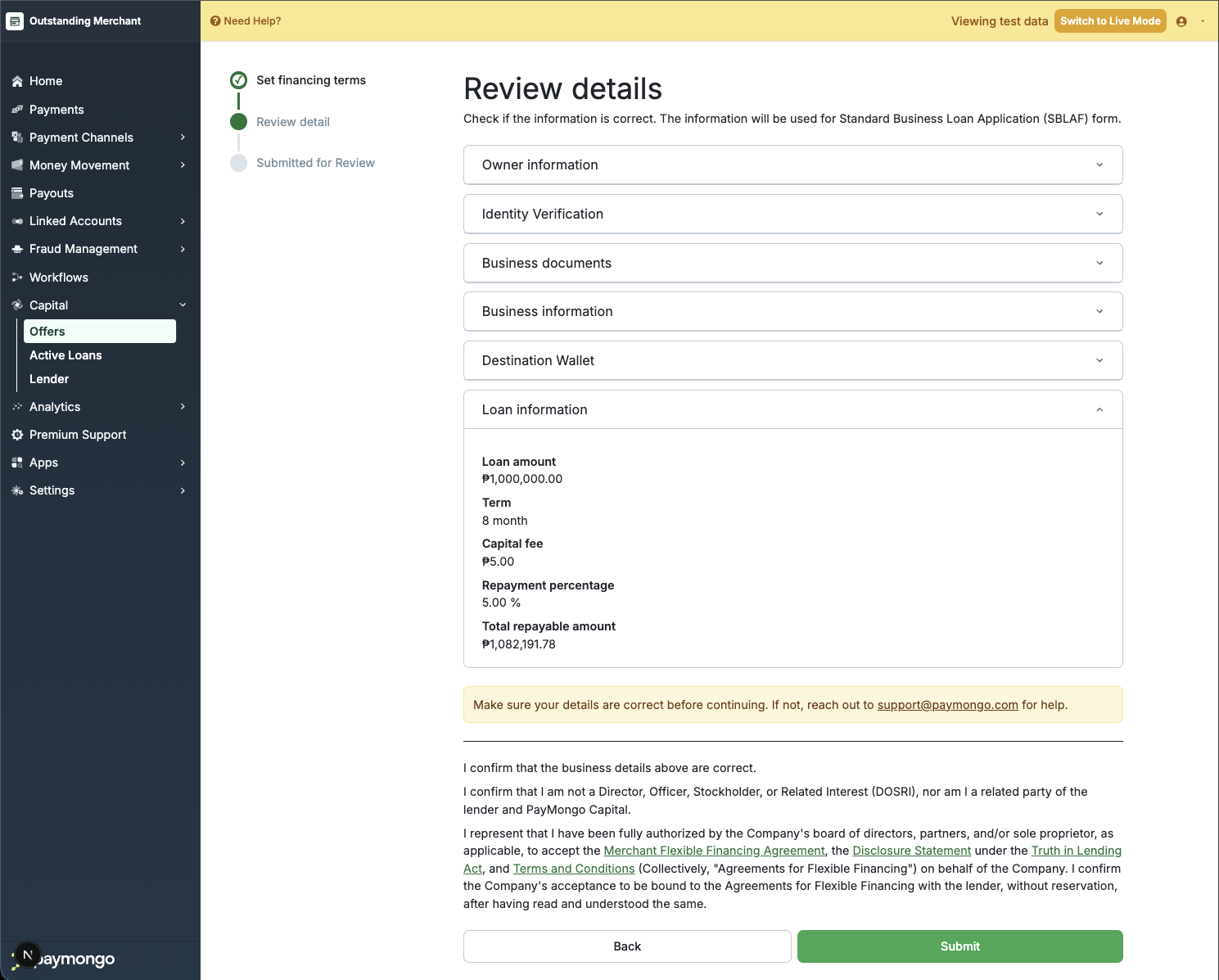
Review Detail
-
Await lender review. The lender reviews your application and supporting documents. You will be notified when the decision is made.
-
Receive funds. On approval, the disbursement is triggered and the approved amount lands in your PayMongo wallet, typically T+0 to T+1. Repayment collection begins on the next settlement cycle.
-
Monitor repayment. Track your outstanding balance and repayment history in
Dashboard → Capital → Active Loans. -
Pay Early. You can repay any amount at any time by initiating manual repayment. This is useful for paying off the loan faster or making a lump-sum payment.
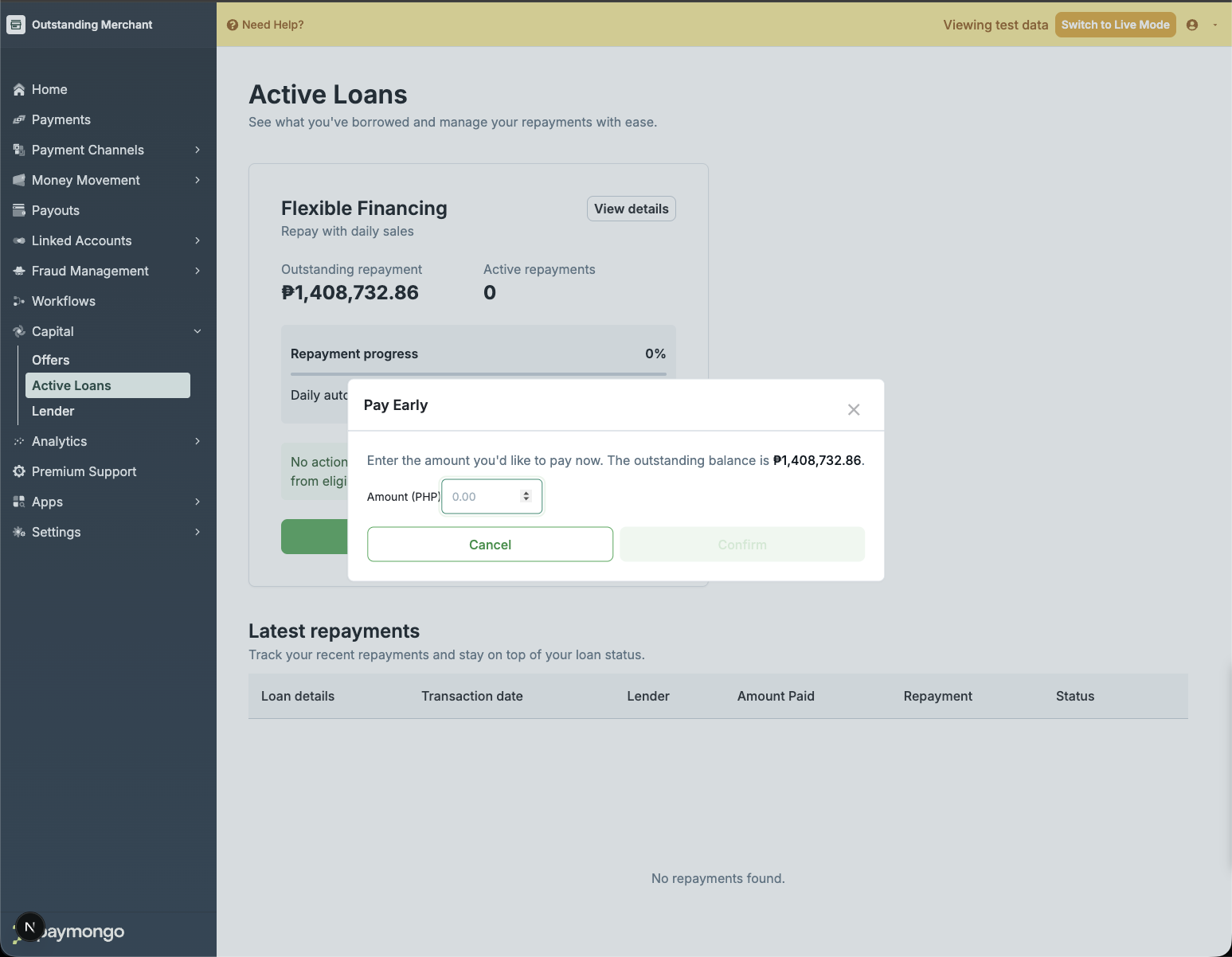
Pay Early
For lenders: create your first offer in test mode
-
Complete lender onboarding. See Become a lender for the full eligibility and KYC/KYB process. Once approved, you can use Test and Live API keys to access Capital endpoints.
-
Switch to Test Mode. Click the Test Mode toggle in the Dashboard to switch to a safe test environment.

-
Create an offer template. Offers define the product parameters (loan type, amount range, fees, repayment rate, term range) that accounts can apply under.
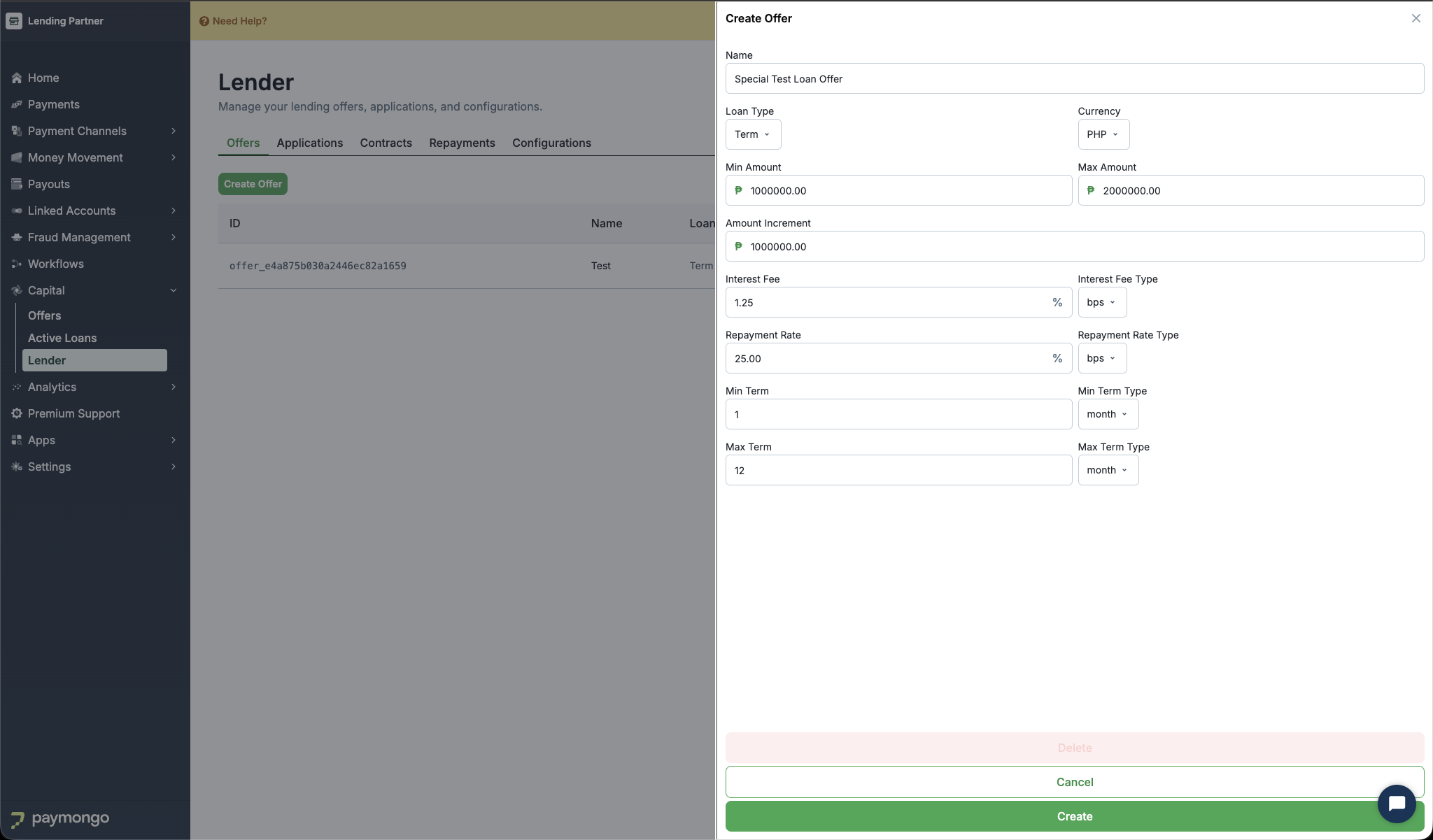
All amounts are in centavos. Rates (
interest_fee,repayment_rate) are in basis points when*_typeisbps(1000 bps = 10%). -
Invite Accounts to an offer. Offers in
activestatus are visible to accounts, but accounts cannot submit loan applications unless explicitly invited.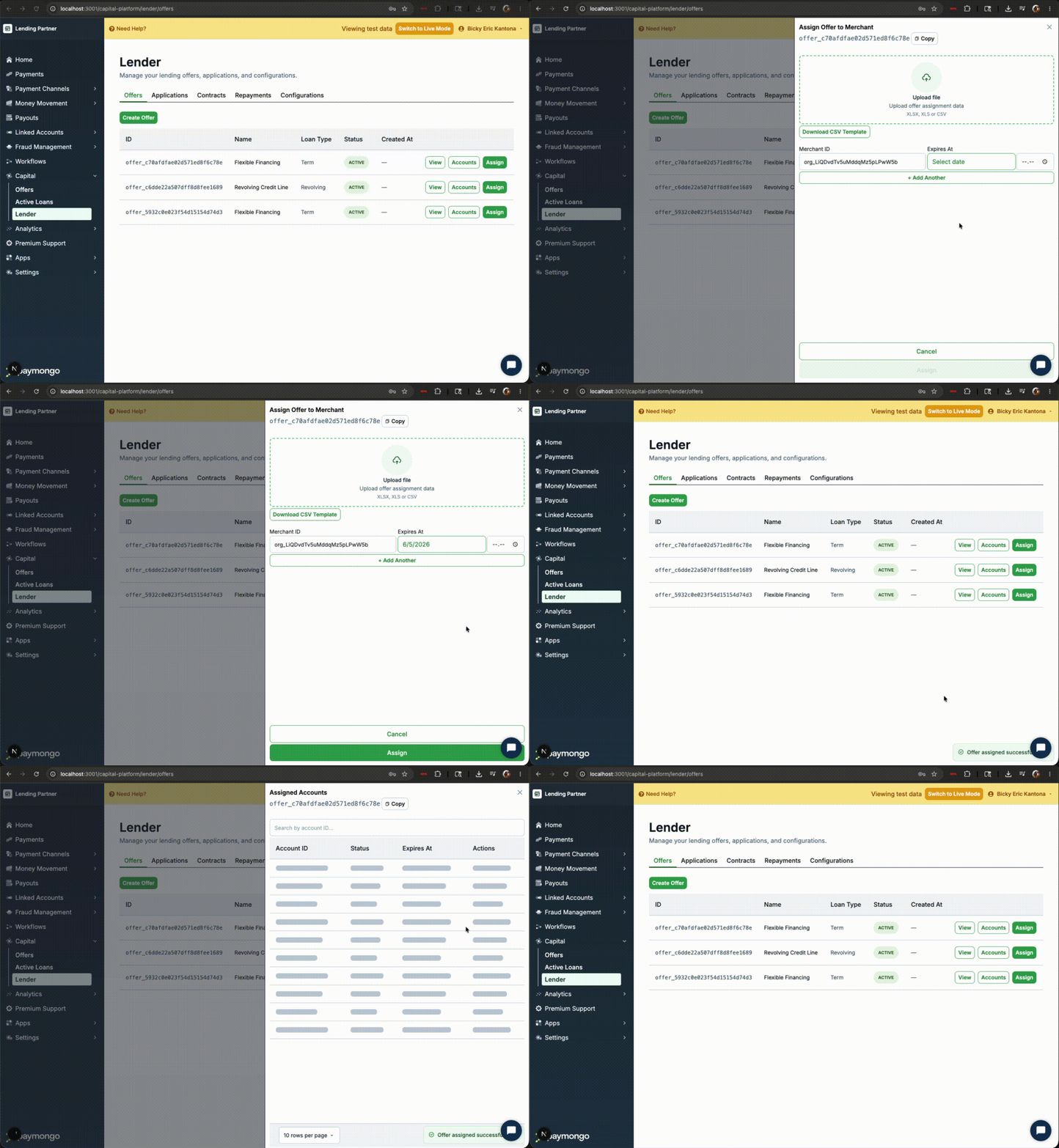
-
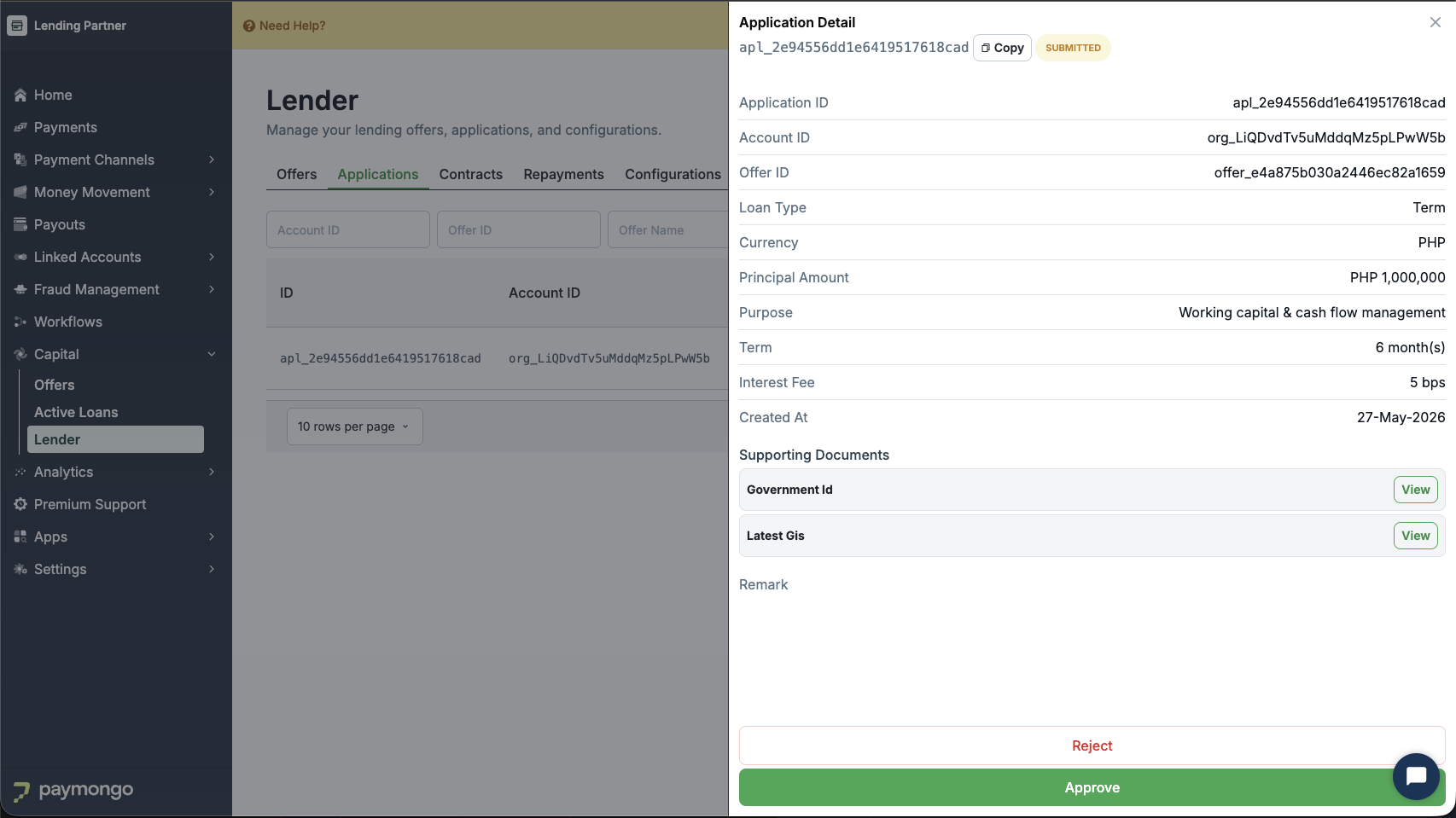
Review and approve the application: Once a merchant submits an application, retrieve it for review
-
Approve an Application: On approval, the application status changes to
approved, a contract is automatically created, and funds are disbursed to the account's wallet. -
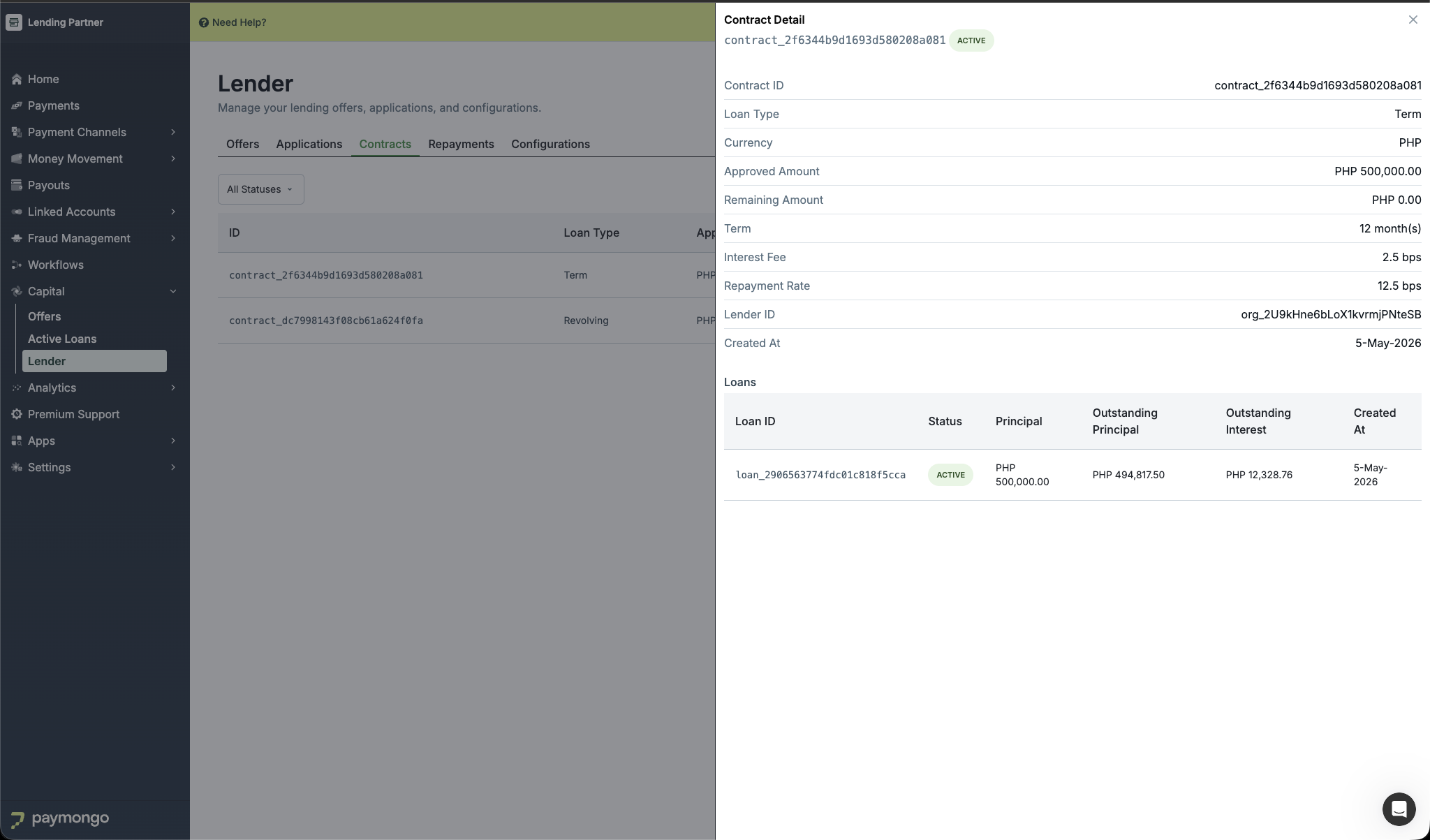
Monitor Contract and Loans: List contracts made by application approval.
-
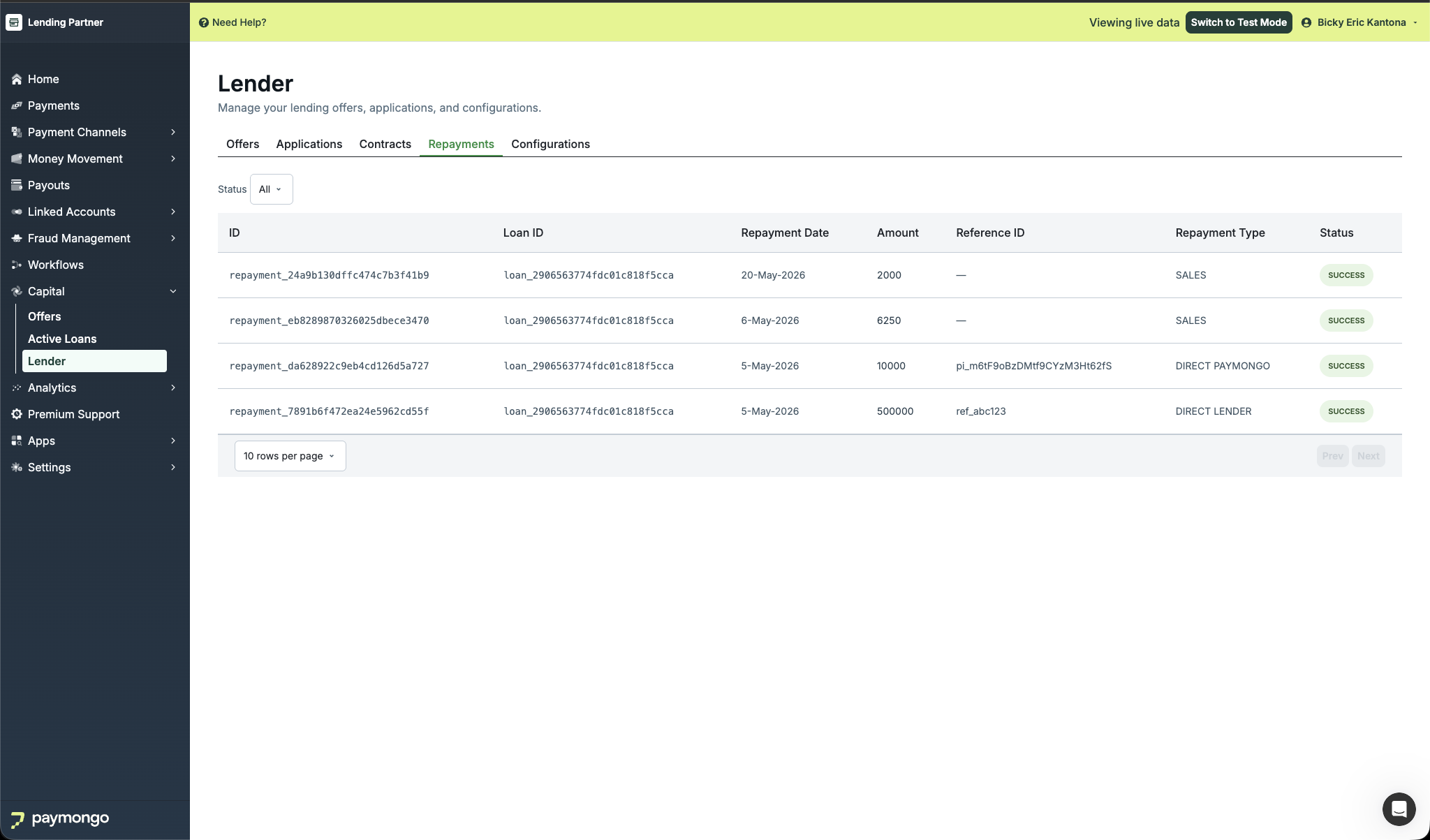
Monitor Repayments: List all repayments made by accounts across all your contracts.
Updated 4 months ago