
Disable a Webhook
Learn how to disable an existing webhook through your Webhooks Module
Disable a webhook you no longer need from the Webhooks Module in your PayMongo Dashboard.
Pending Processes subject to FailureAll pending webhook processes will automatically fail upon disabling the webhook
-
At the top bar beside your account name, ensure you're in the correct Live or Test Mode.
-
In the Webhooks module, locate the webhook you want to update and click the row.
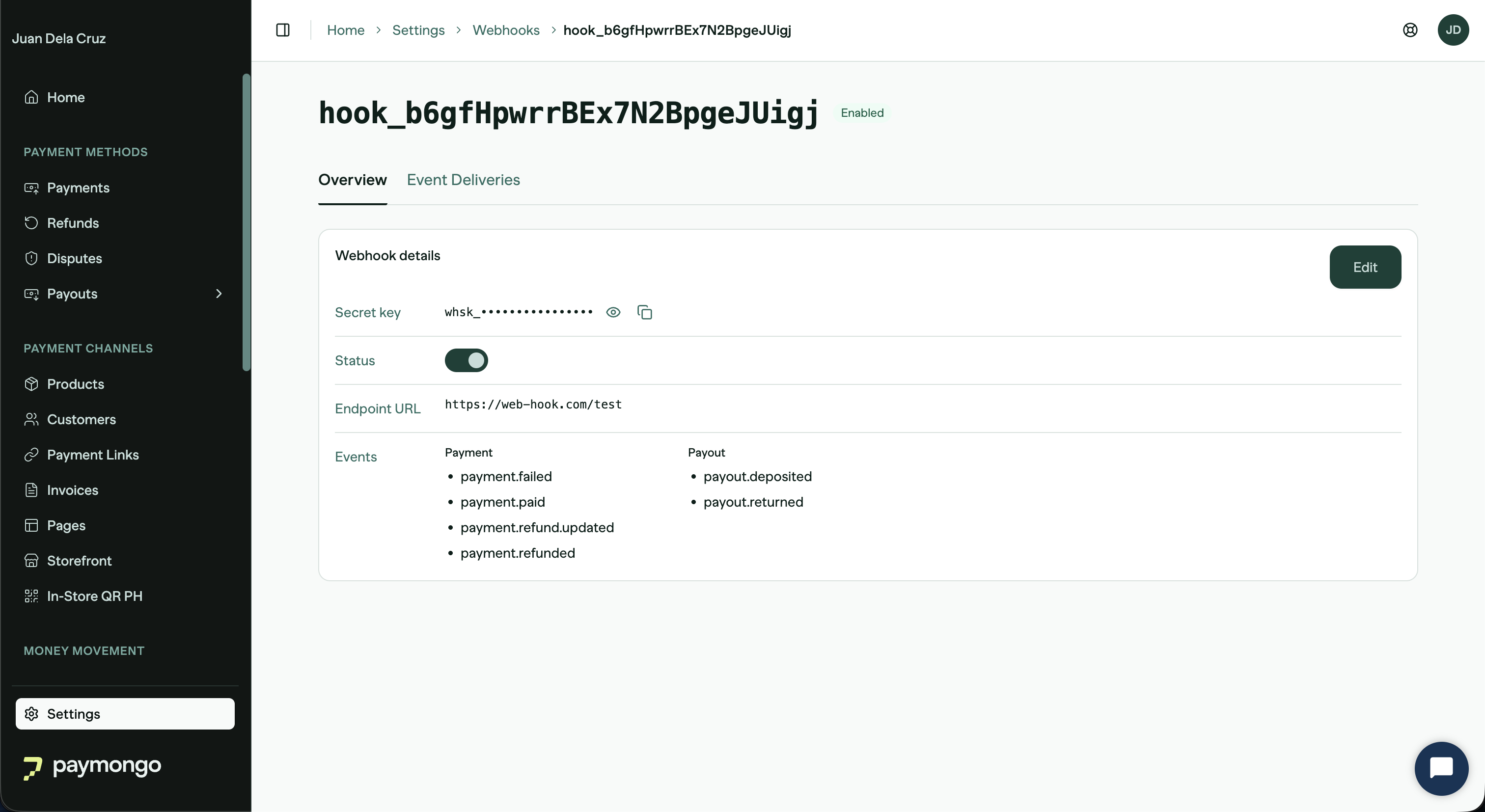
-
Once you've located the webhook, toggle the Status switch of the enabled webhook. In the confirmation modal, click 'Disable Webhook' to proceed.
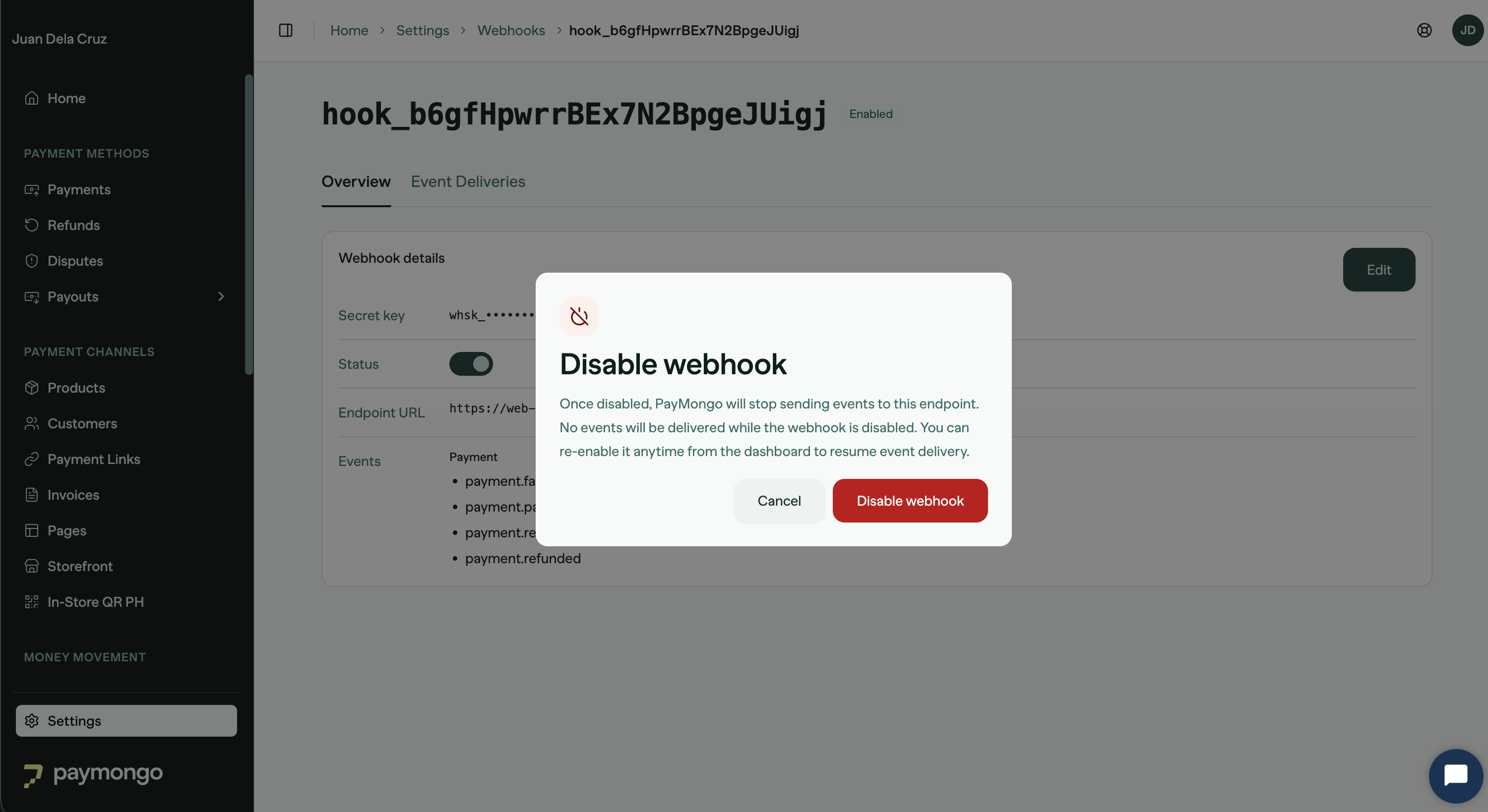
-
A success message will appear indicating the webhook has been disabled.
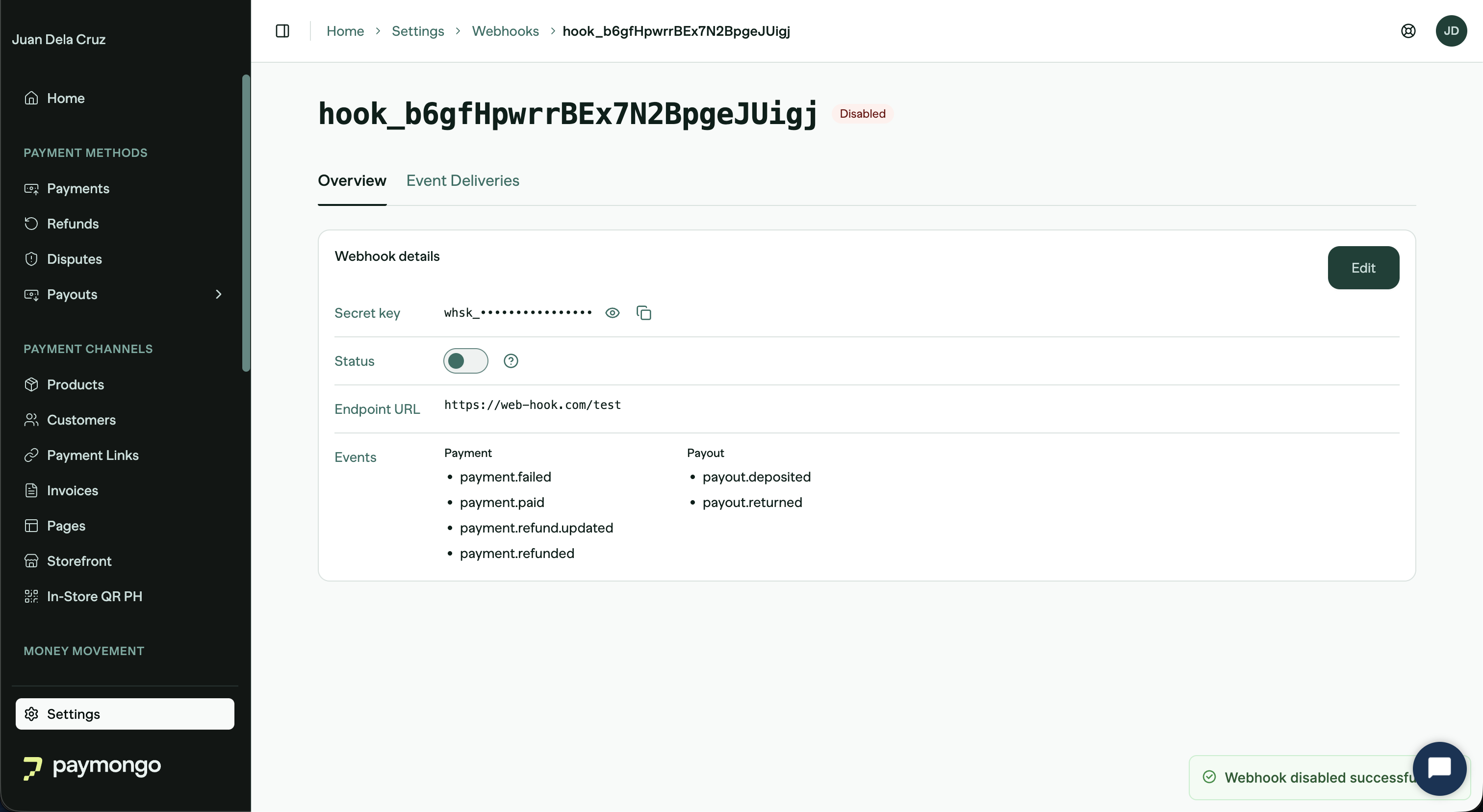
Updated 5 days ago
Did this page help you?