
Invoice Approvals
Require a different team member to approve an invoice before it is sent.
Require a second pair of eyes before an invoice leaves your business. With approvals on, an invoice stays a draft until a different team member approves the send, so no single person can bill a customer on their own.
This is the same Requests & Approvals inbox your team already uses for expenses and transfers; invoices simply become another product that can route through it.
When to use it
Turn approvals on when:
- Invoices are prepared by one person and signed off by another (a maker-checker split).
- You bill large amounts and want a reviewer before the customer is contacted.
- Your finance or audit process requires a recorded, named approval per invoice.
Leave it off if the person preparing invoices is also the person authorized to send them; every send would otherwise wait on someone else.
How it works
- A team member fills in an invoice and clicks Send invoice.
- Instead of going out, the invoice stays a draft, its status becomes Waiting for approval, and a request appears in Requests & Approvals. Nothing is emailed and no payment link is created yet.
- A different team member opens the request and approves or denies it. The person who made the request cannot approve their own invoice.
- On approval, the invoice sends itself: PayMongo mints the payment link and emails the customer, with no further action from the maker.
- On denial, the invoice returns to the maker as Approval declined. They can edit it and send again, which starts a fresh request.
Set up your approvers
Start here. The switch on the Invoices tab has nothing to point at until you have saved at least one approval configuration.
Go to Settings → Product Settings → Approvals → Build. Add the email addresses of the people who may approve, name the configuration, then save it:
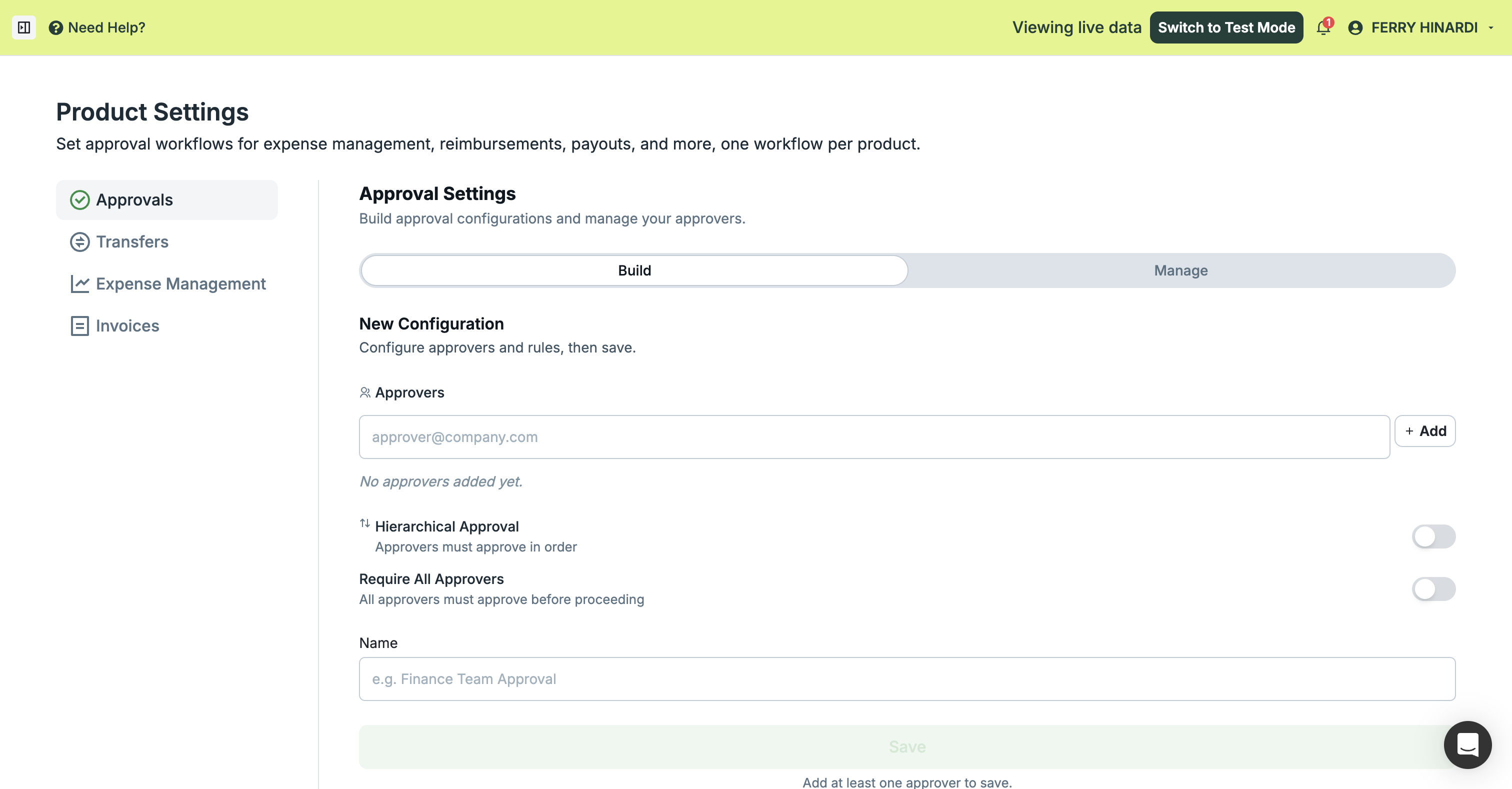
Two options shape how a request is decided:
| Option | Off | On |
|---|---|---|
| Hierarchical Approval | Anyone on the list can decide it | Approvers must approve in order |
| Require All Approvers | The first approval decides it | Every approver must approve |
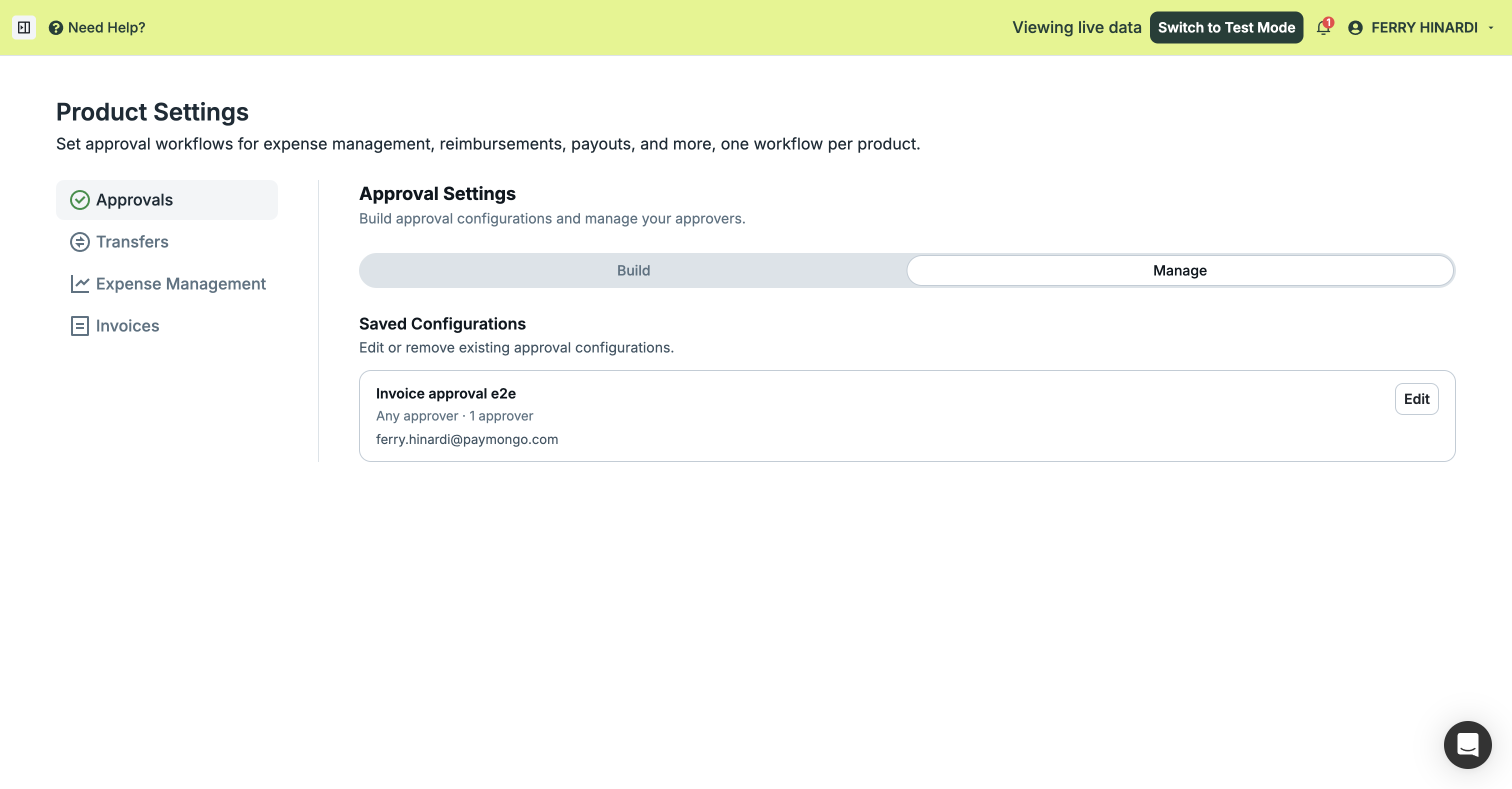
Saved configurations are listed under Manage, where you can edit them later:
Turn on approvals for invoices
With a configuration saved, go to Settings → Product Settings → Invoices. Switch Approval on, then pick that configuration under Active Approval template:
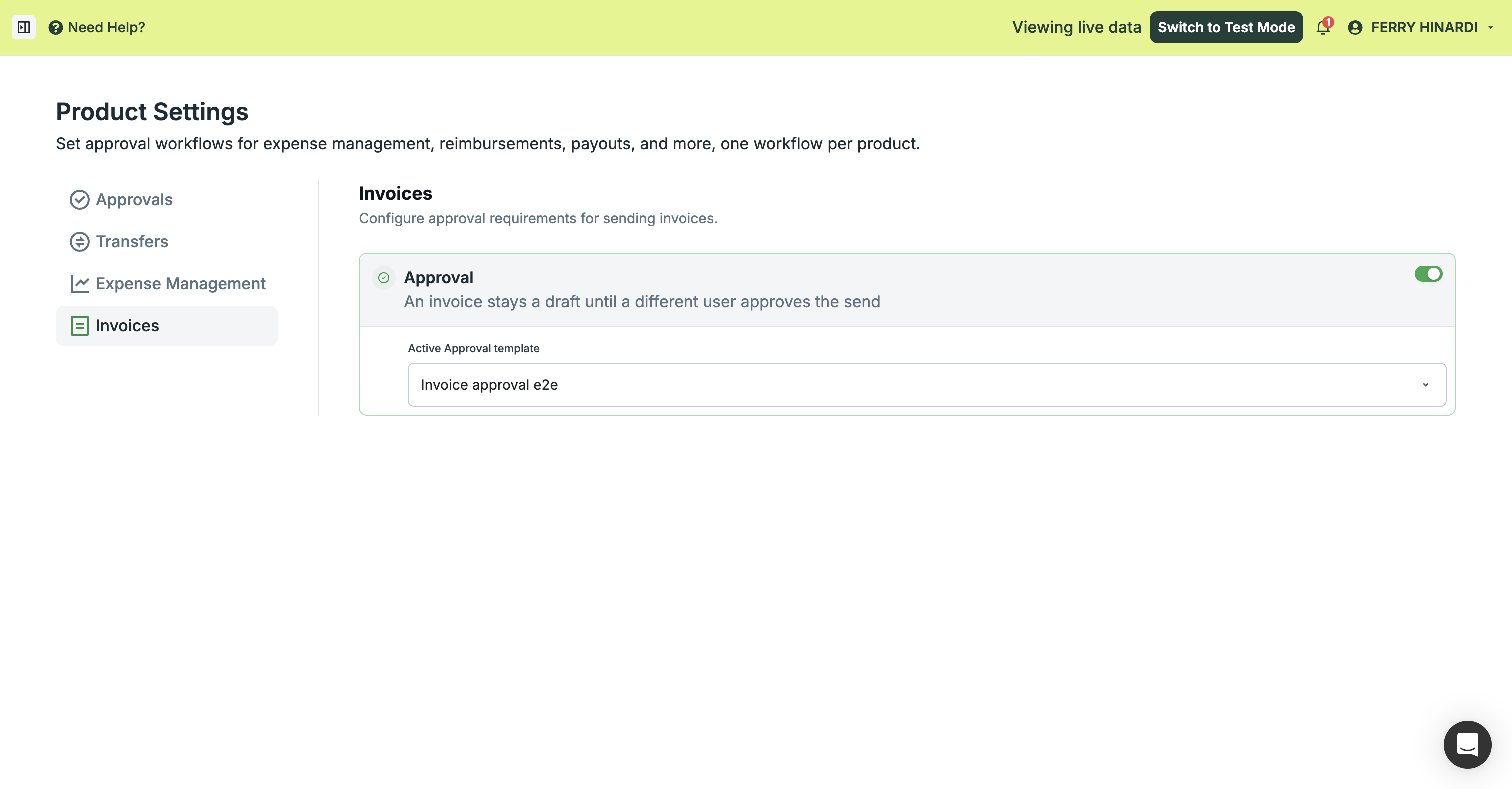
Both parts are required. The switch alone holds nothing. Until Active Approval template points at a saved configuration, invoices send as usual even though the control reads as on. Check that a configuration is selected, not only that the switch is green.
The switch is per organization and applies to invoices only; your expense and transfer approvals are unaffected. Turning it off later stops new invoices from being held, and any invoice already waiting stays waiting until it is decided or edited.
What the maker sees
After clicking Send, the invoice is held and labelled Waiting for approval. The Send button is withheld so it cannot be pushed twice, while Edit and Void stay available:
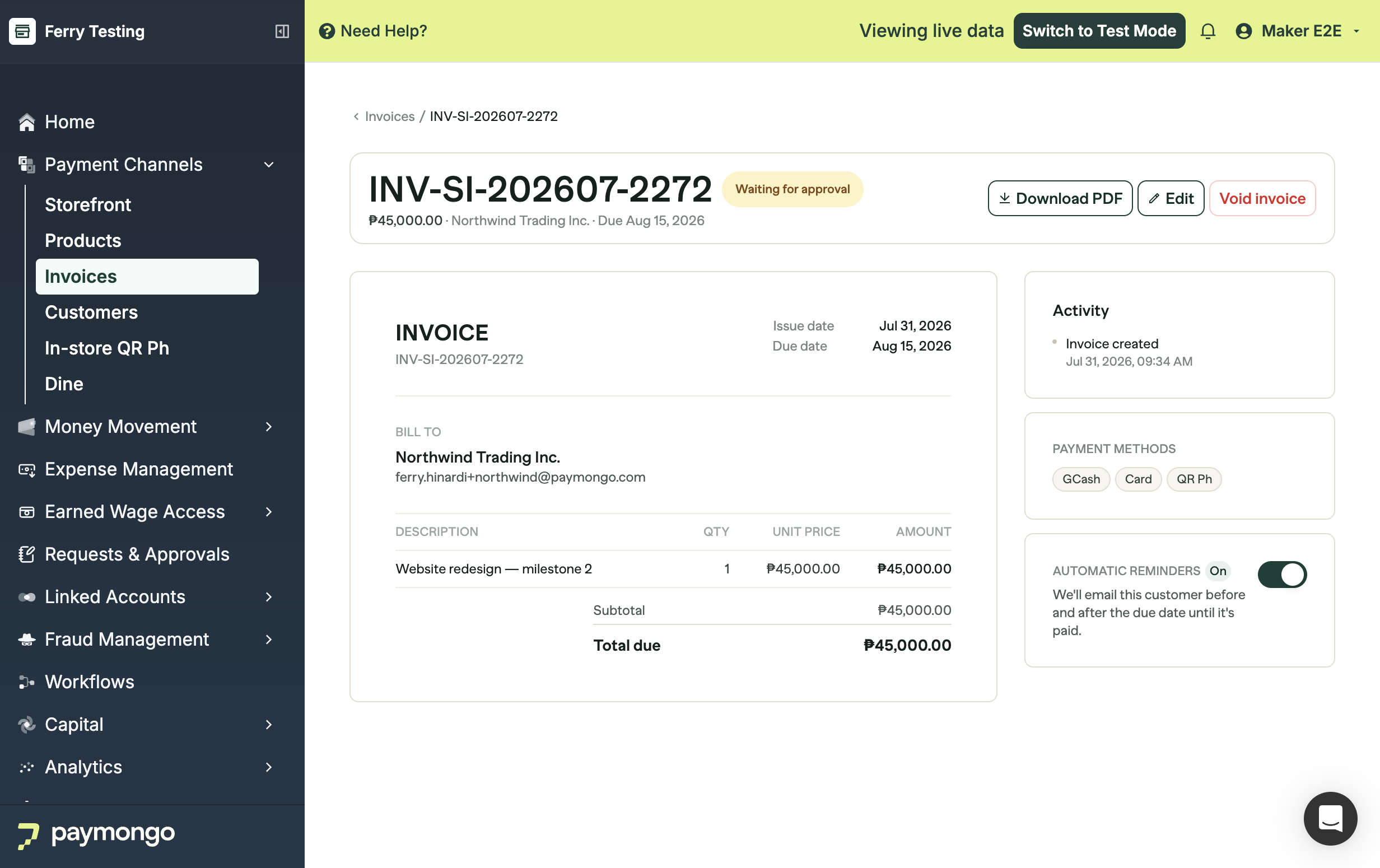
Hovering the badge explains what happens next:
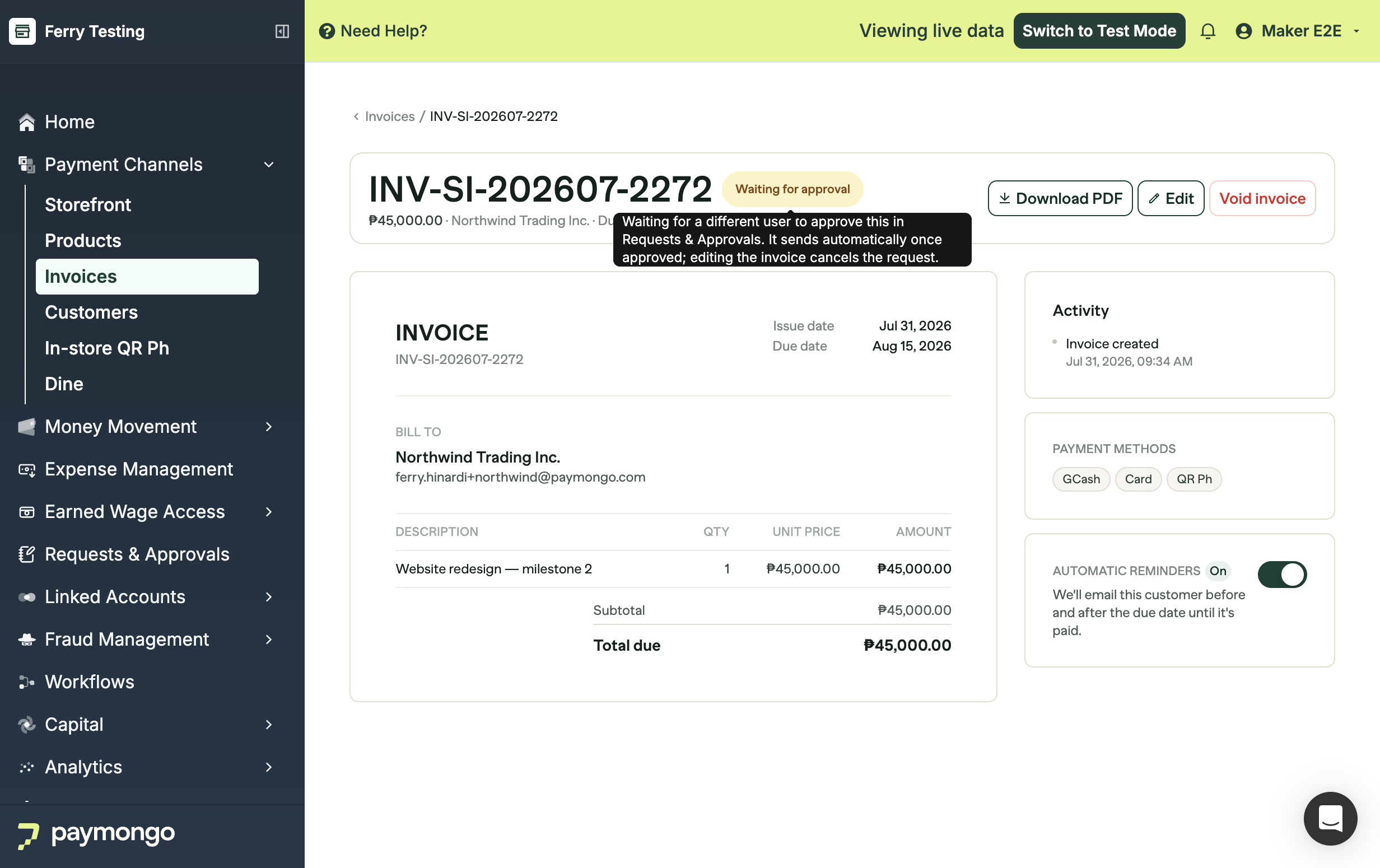
Editing a held invoice cancels the pending request. That is deliberate: it stops an approval that was granted for one set of amounts from being reused for another. Send it again when you are ready and a new request goes out.
What the approver sees
The request lands in Requests & Approvals, showing the invoice number, who requested it, the amount, and which step it is on. Approve or deny it straight from the row:
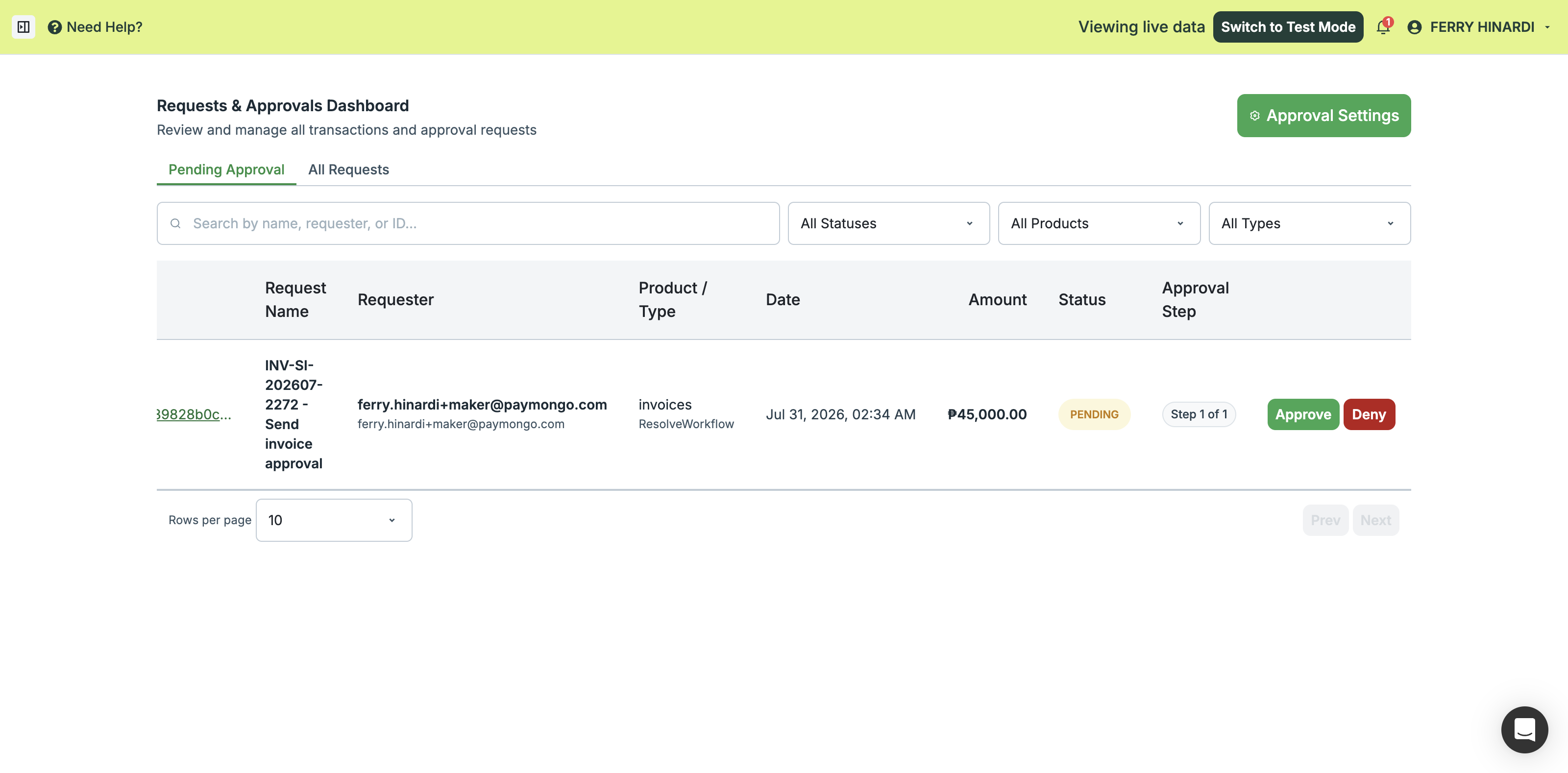
Filter by product to see invoice requests only, and use All Requests to review decisions that have already been made.
After approval
The invoice sends itself. Its status moves to Awaiting payment, the customer receives the invoice email with a payment link, and the activity log records the send:
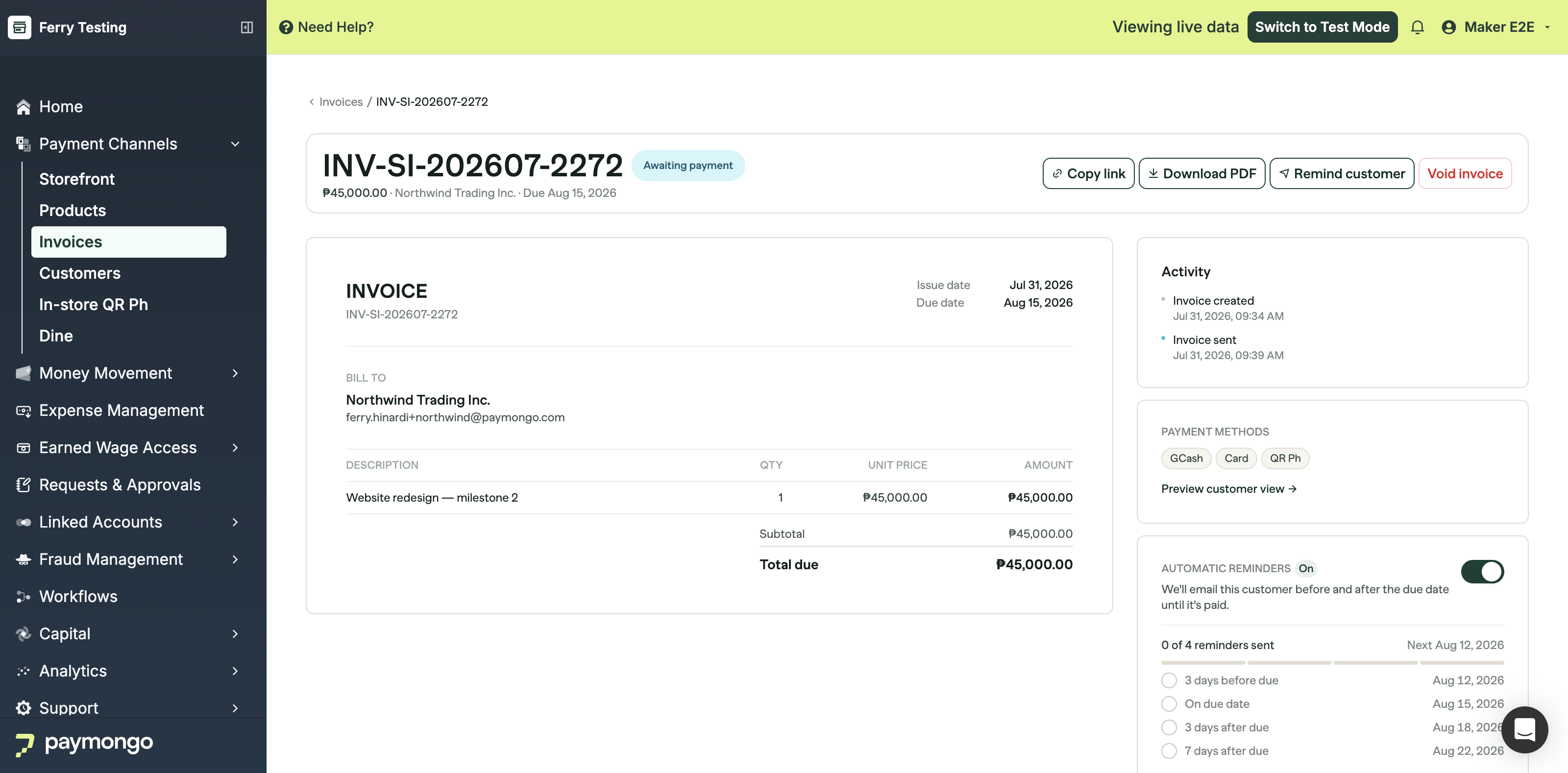
The maker does not need to press Send again, and nothing is sent twice if the approval is processed more than once.
After a denial
The invoice comes back as Approval declined and stays a draft, so nothing reached the customer:
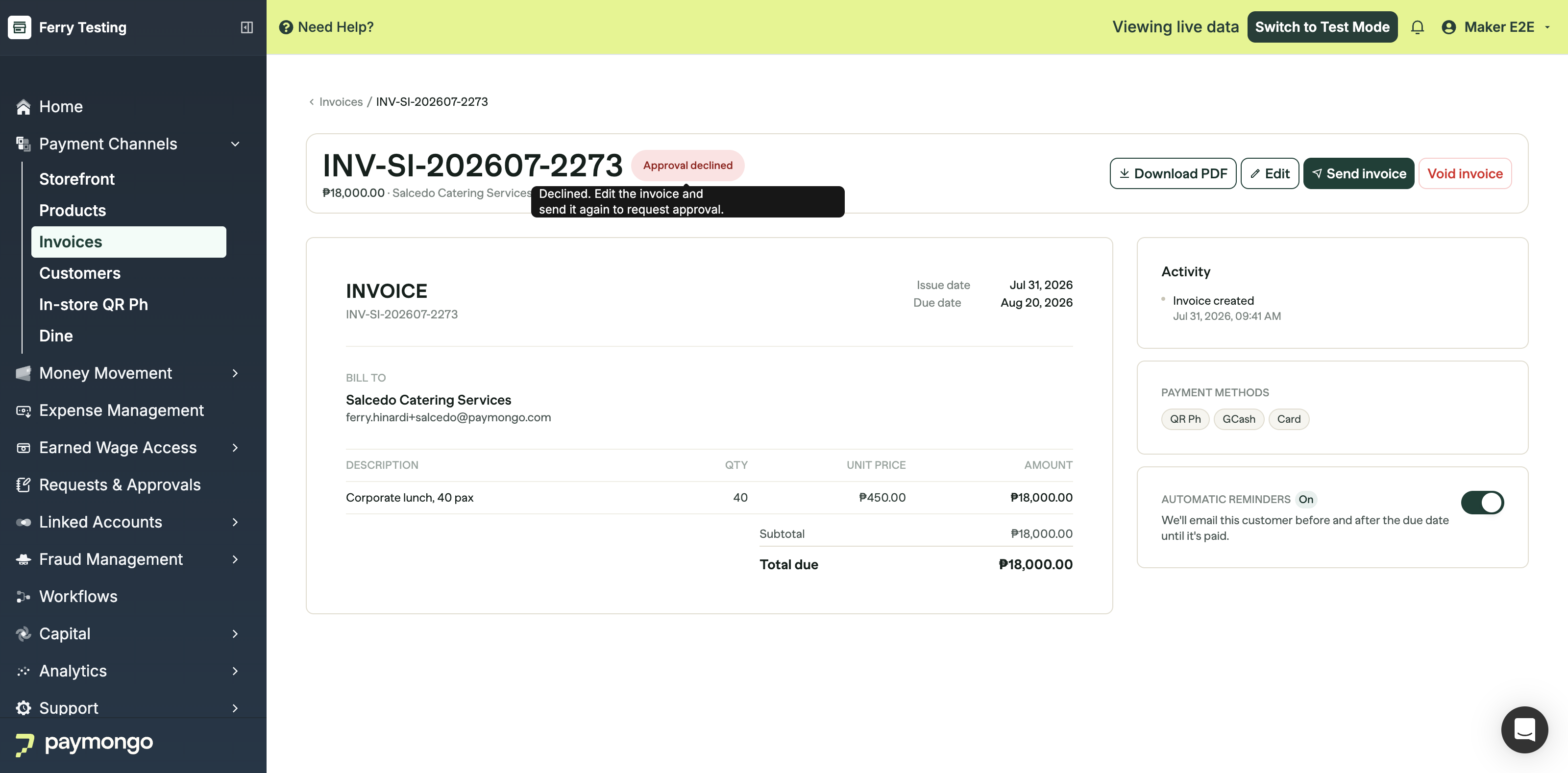
Fix whatever the approver objected to and send it again; that raises a new request. If the invoice is no longer needed, void it.
Good to know
- Only sends are gated. Creating, editing, and voiding invoices need no approval, and neither do PDF downloads or reminders on an invoice that already went out.
- A different person must approve. Requests where the requester is also the only approver cannot be decided; make sure your configuration lists someone other than the usual sender.
- Bulk imports follow the same rule. If you import invoices and choose to send them immediately, each send is held for approval like any other.
- Approvals do not expire. A held invoice waits until someone decides it, the maker edits it, or it is voided.
- Permissions are separate. Being an approver is not the same as having invoice access; see the Invoices page for the Manage Invoices permission.
Updated about 1 month ago