
Customers
Reconcile customer orders and review payment activity across payment channels from one place.
Customers gives you one view of customer orders and payment activity across payment channels. Use it to track a customer's payment history, reconcile payments, and prepare them for fulfillment.
When to use
Use Customers when you run multiple payment channels and need one place to review who bought what, without switching between separate channel dashboards or order lists.
Customers is useful when you:
- Need to track and process orders without checking each payment channel separately
- Need complete payment details to prepare and fulfill an order
- Need to review a customer's purchase history while responding to an inquiry
How to use
-
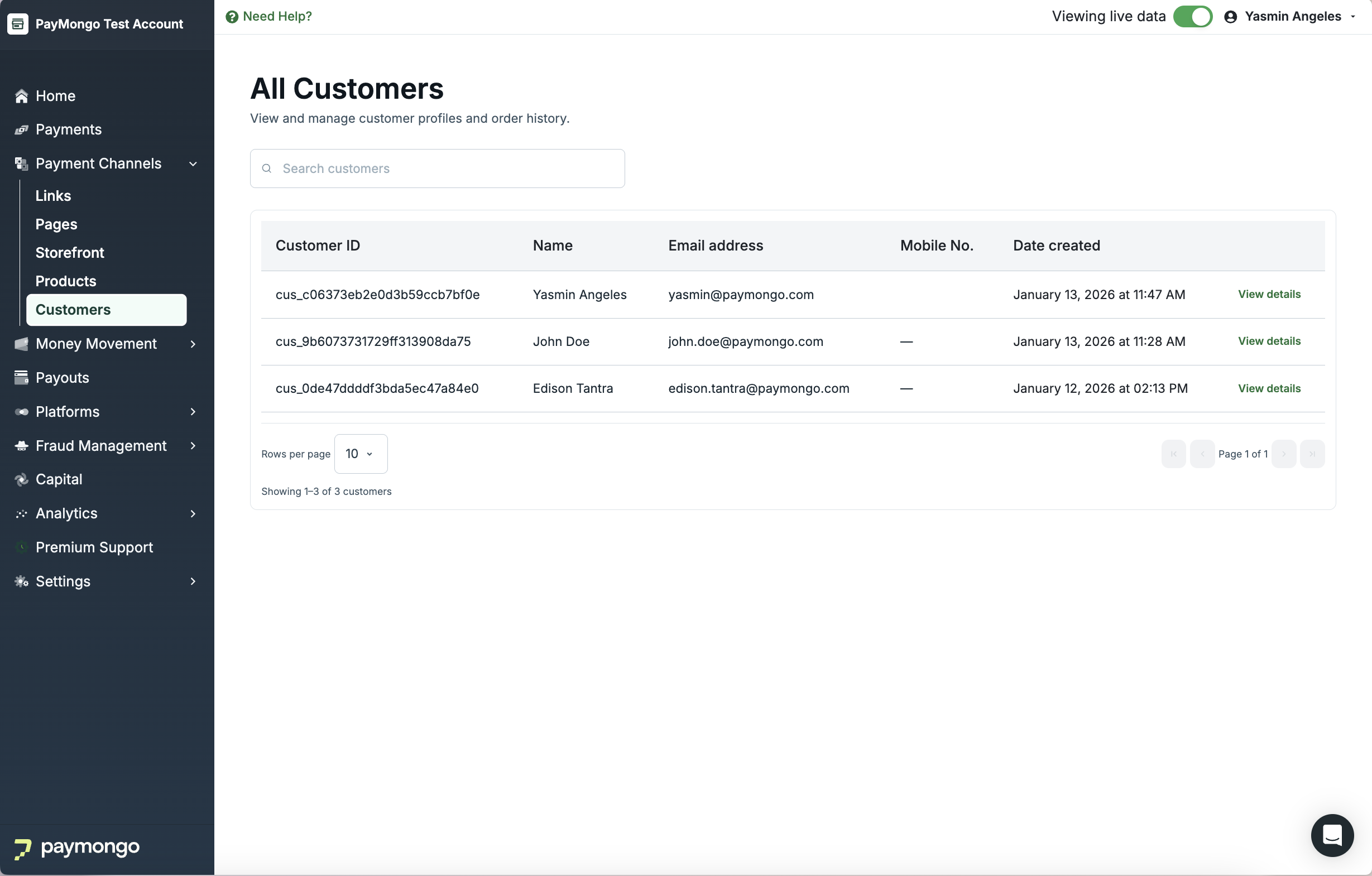
View the customer list
Go to Payment Channels → Customers to review customer orders and payment activity from your connected payment channels in one list.
-
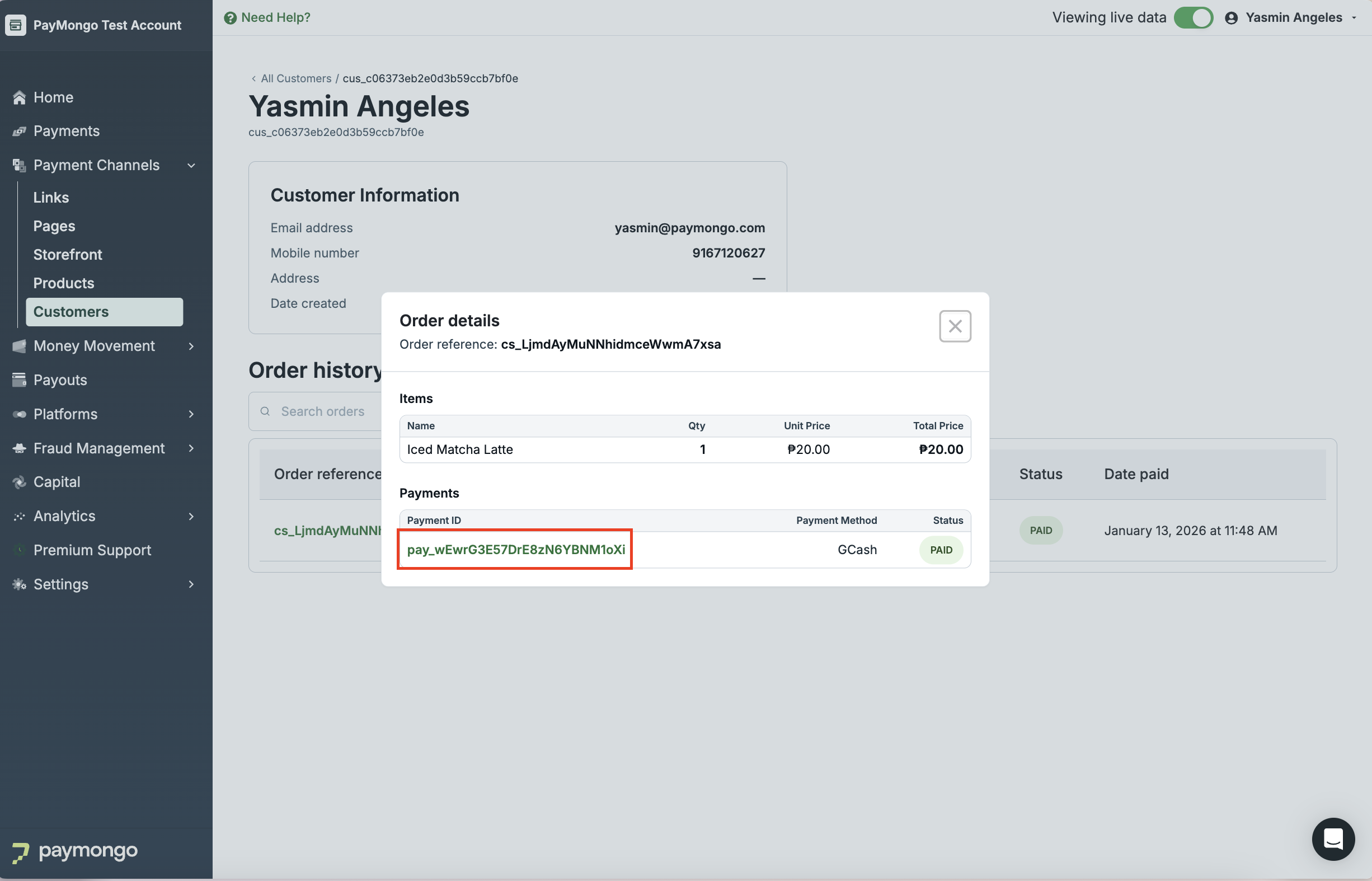
Select a Payment ID
Click the Payment ID for an order to open the transaction details and review its payment information.
-
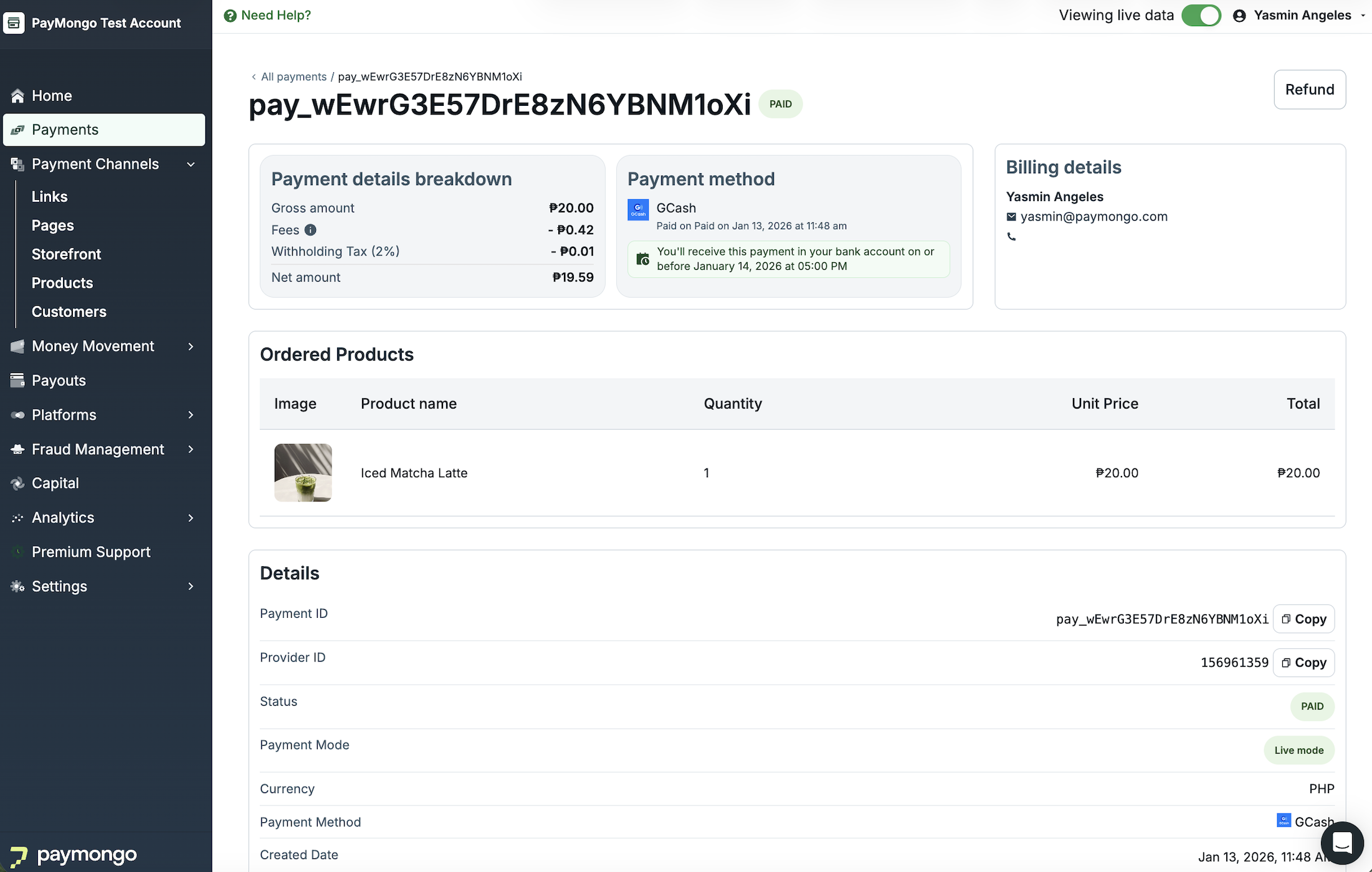
Review payment details and fulfill the order
Use the transaction details to confirm the order, then continue with your fulfillment process.
Updated 2 months ago