
Track Ticket Status
Track all ticket activity, from reachouts, follow-ups, and updates, through the PayMongo dashboard.
Notable Updates to our Ticket UpdatesFor our out of chat session updates, an email with the subject template - Re: [Ticket ID] Ticket Title Update- will be sent containing updates on your ticket. These updates can be seen on the "Activity" timeline of the corresponding ticket
How and Where Do I Track My Tickets?
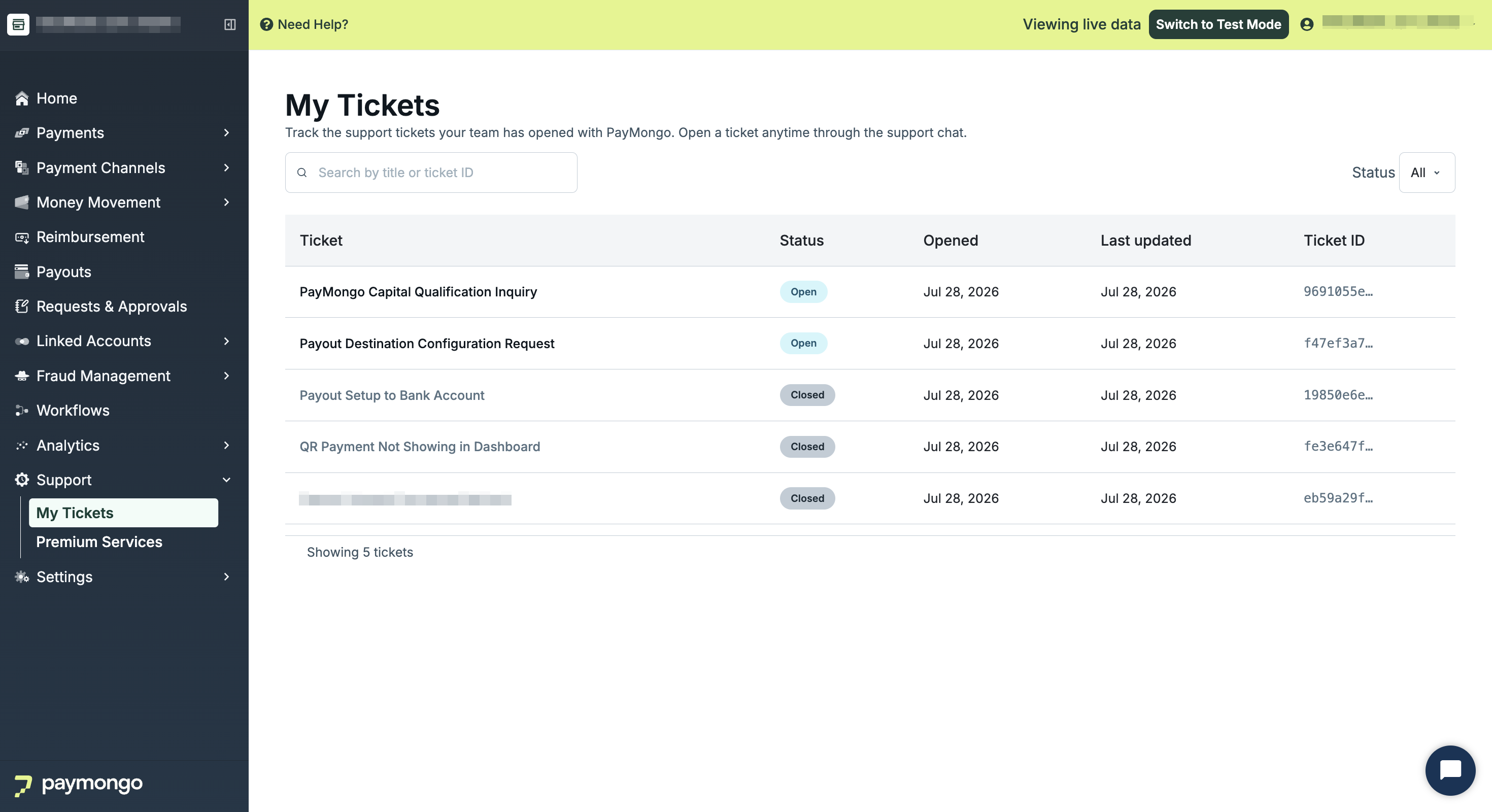
Use this page to guide you in locating and tracking the activity of all your tickets via the "My Tickets" page. The page contains all tickets recorded for the said PayMongo account.
My Tickets Page Breakdown
| Component | Functionality |
|---|---|
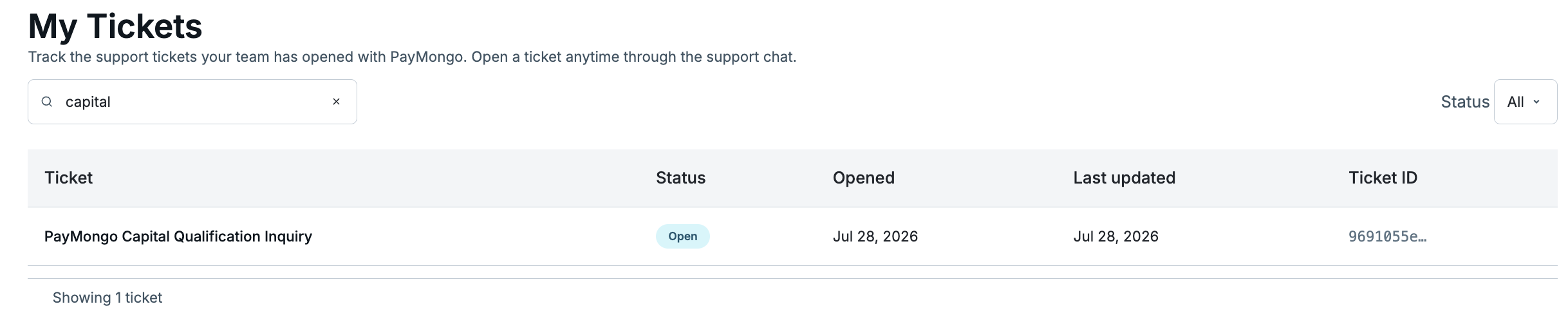
| Search Bar | To filter ticket table given the title of a ticket or a corresponding ticket ID |
| Status | To filter the ticket table given a ticket's status (Open/Closed) |
| Ticket Table | To display all tickets arranged by latest to oldest |
How to Search for a Ticket
Steps:
-
Proceed to My Tickets
-
Input the corresponding ticket details on the search bar (Ticket ID/(Full/Partial) Ticket Title).
-
Click on the corresponding ticket displayed on the ticket table.
How to Track Ticket Activity
Steps:
-
Click on the corresponding ticket displayed on the ticket table.
-
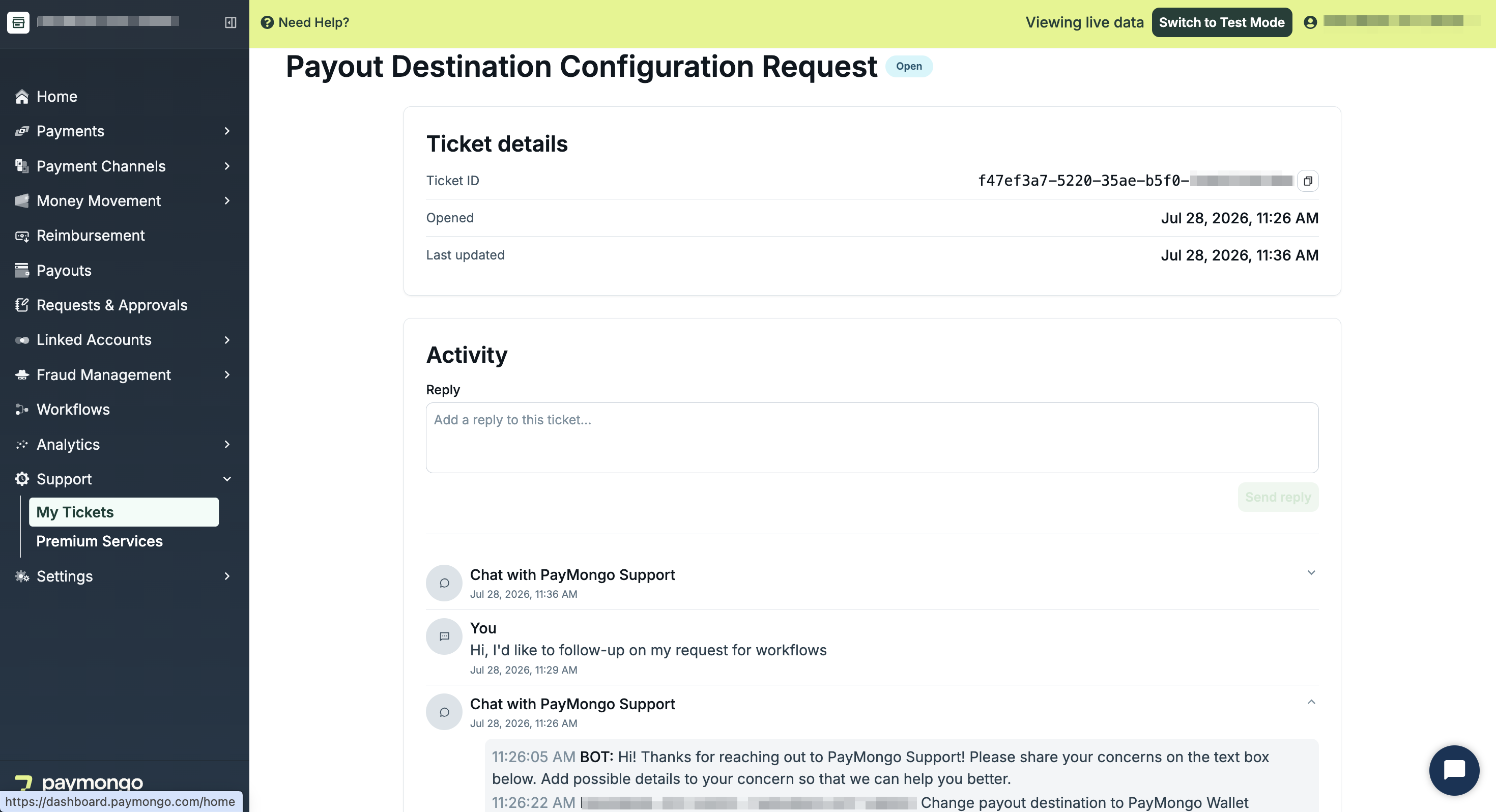
Scroll to the Activity timeline.
-
Click on the corresponding contact block.
-
View the contact transcript.
Updated about 2 months ago