
QRPH Refunds
Refund process for QRPH payments
Use QRPH refunds to return funds directly to a customer's preferred bank or e-wallet in real time.
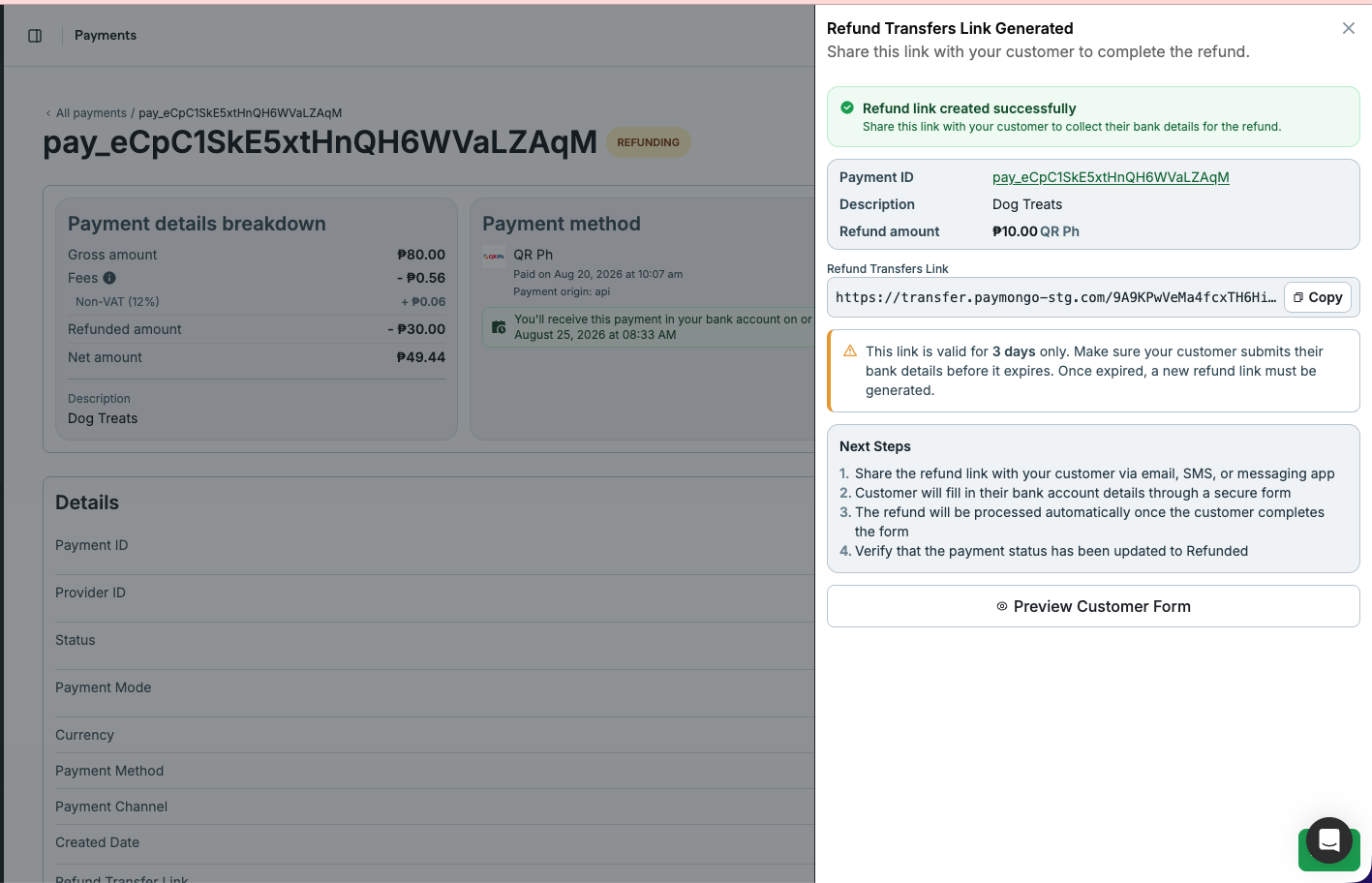
When you submit a refund, PayMongo generates a transfer link that you can send to the customer to claim the refunded amount. The refund remains in refunding status in Dashboard until the customer claims the transfer, then moves to succeeded. If the transfer link expires or is declined, the refund is marked as failed.
Prerequisite
Merchant's wallets should have enough available balance in order to do a refund request.
Refund a QRPH payment
Via dashboard
- Go to Payments in your PayMongo dashboard.
- Select the payment you want to refund.
- Click Refund.
- Select a reason and add an optional note.
- Copy the refund transfer link and share it with the customer. The refund transfer link is valid for 3 days.
- After the customer completes and submits the form, the refund status updates accordingly.
Via the API
You can issue a full refund by setting amount equal to the original payment amount. Here are the accepted refund reasons:
fraudulentothersduplicaterequested_by_customer
Partial Refunds
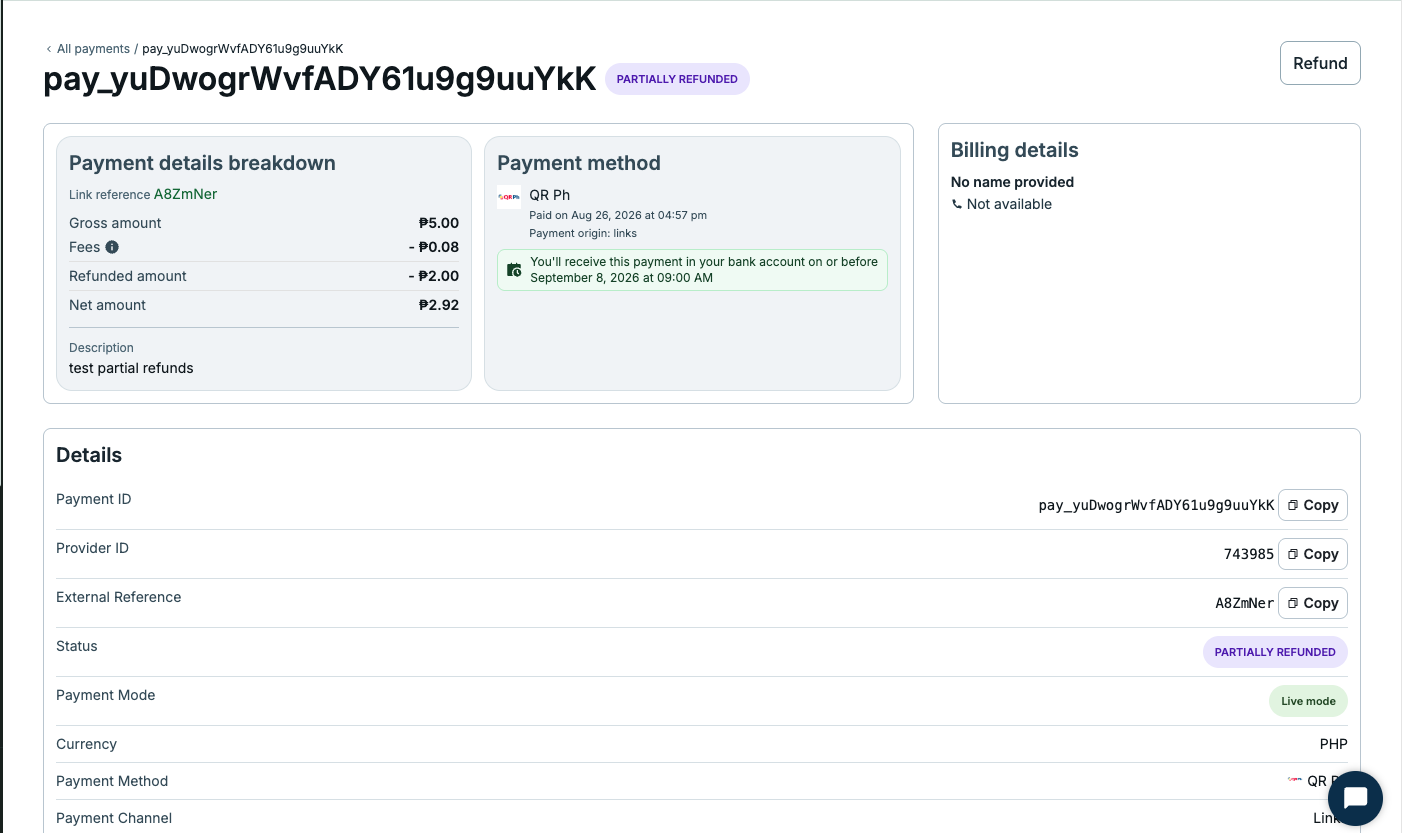
You can issue partial refunds by setting amount less than the original payment amount. Once partial refund is completed, status will be Partially Refunded in the Dashboard.
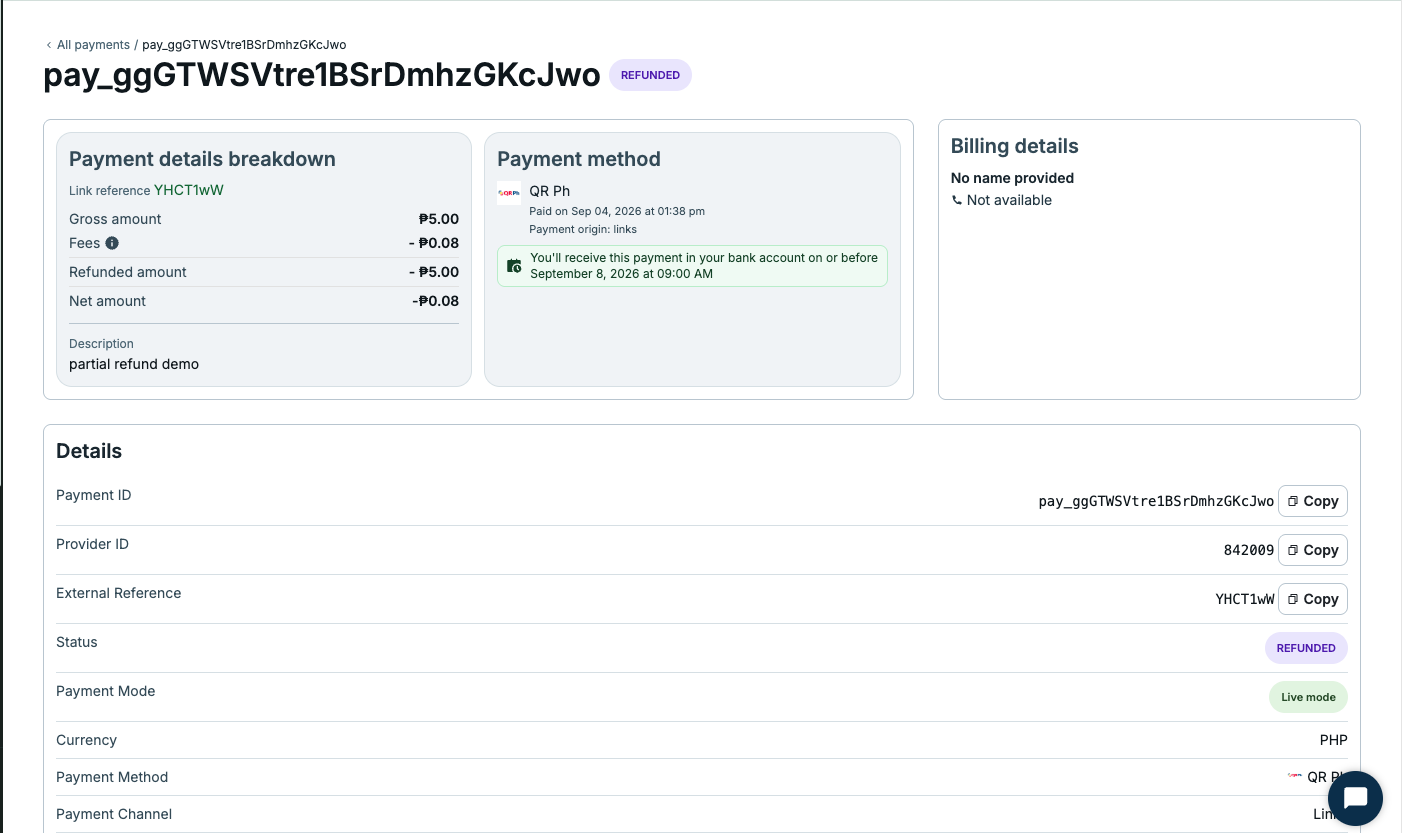
If full payment amount has been fully refunded, status will be Refunded.
QRPH Refund URL: https://refunds-api.paymongo.com/v1/refunds
const refund = await fetch('https://refunds-api.paymongo.com/v1/refunds', {
  method: 'POST',
  headers: {
    'Content-Type': 'application/json',
    'Authorization': 'Basic ' + btoa('sk_live_YOUR_SECRET_KEY:')
  },
  body: JSON.stringify({
    data: {
      attributes: {
        payment_id: 'pay_xxx',
        amount: 1000,
        reason: 'others',
        notes: 'Customer requested refund for order cancellation'
      }
    }
  })
}).then(r => r.json());
Response
Copy the transfer_link and share it with the customer. The status is processing once link is generated, but it will be updated until the customer claims the transfer.
{
    "data": {
        "id": "ref_xxxx",
        "type": "refund",
        "attributes": {
            "amount": 100,
            "currency": "PHP",
            "livemode": true,
            "notes": "test",
            "payment_id": "pay_xxx",
            "reason": "requested_by_customer",
            "status": "processing",
            "transfer_link": "https://transfer.paymongo-stg.com/xxxxx-xxxxx-xxxxx",
            "created_at": 1785206379,
            "updated_at": 1785206379
        }
    }
}
Updated 27 days ago