
Disputes and Chargebacks
Note: This section only applies to PayMongo Wallet Users and Cardholders. If you are a customer filing a dispute against a merchant, please contact the bank of the payment method you used.
What a dispute is
A dispute is a formal request to reverse a transaction and recover your money when something has gone wrong. For card payments, this process of filing the request to reverse the transaction is known as a chargeback. When you raise a dispute, PayMongo represents you with the other financial institution involved, presents your evidence, and works to return the funds to your account if the claim succeeds.
A dispute is different from a refund. If you simply changed your mind, or received an item in good condition but aren’t satisfied with it, the fastest path is usually to contact the merchant directly and ask for a refund.
How the dispute process works
Here is what the process looks like from start to finish:
- You report the issue. You send us the transaction details and the reason you are disputing the charge.
- PayMongo reviews your case. We confirm the details and check that the transaction is eligible for a dispute.
- PayMongo files on your behalf. We raise the case with the bank or card network involved and represent you throughout.
- The case is investigated by the network. The scheme network (BancNet for wallet payments, Mastercard for card payments) reviews the evidence and reaches a decision.
- The case is resolved. If it is decided in your favor, we return your funds. If not, we let you know your options.
When you can raise a dispute
You can raise a dispute when a transaction on your account falls into one of these situations:
- You don’t recognize the transaction, or it was made without your authorization
- You suspect fraud
- You paid for a product or service you never received
- What you received was significantly different from what was described
- You were charged for a product or service you had already canceled
- A credit or refund you were promised was never processed
- You were charged more than once for the same transaction
- You had already paid for the same purchase by another method
- Your account was debited even though the transaction failed or returned an error
- You were charged a different amount than the one you agreed to pay.
If you received exactly what you paid for and it arrived in good condition, a dispute isn’t the right route. Reach out to the seller instead to coordinate regarding your order.
Before you file: eligibility and time limits
Raise your dispute as soon as you notice the issue. As a general rule, contact us within 30 calendar days of the transaction so there’s enough time to investigate and file before any deadlines pass.
Note: Already-decided cases can’t be reopened. A transaction that has already gone through the dispute process and been resolved can’t be disputed again.
Additional limits apply:
- Card payments have a 120-calendar day window after the transaction for dispute filing. Filing promptly is the best way to make sure your case is raised before the window closes.
- QR Ph transfers are eligible only if the transaction took place on or after June 25, 2025.
How to raise a dispute
To start a dispute, you must (1) navigate to your transaction history, (2) select the transaction to dispute, and (3) click the “Dispute this transaction” button at the bottom of the page.
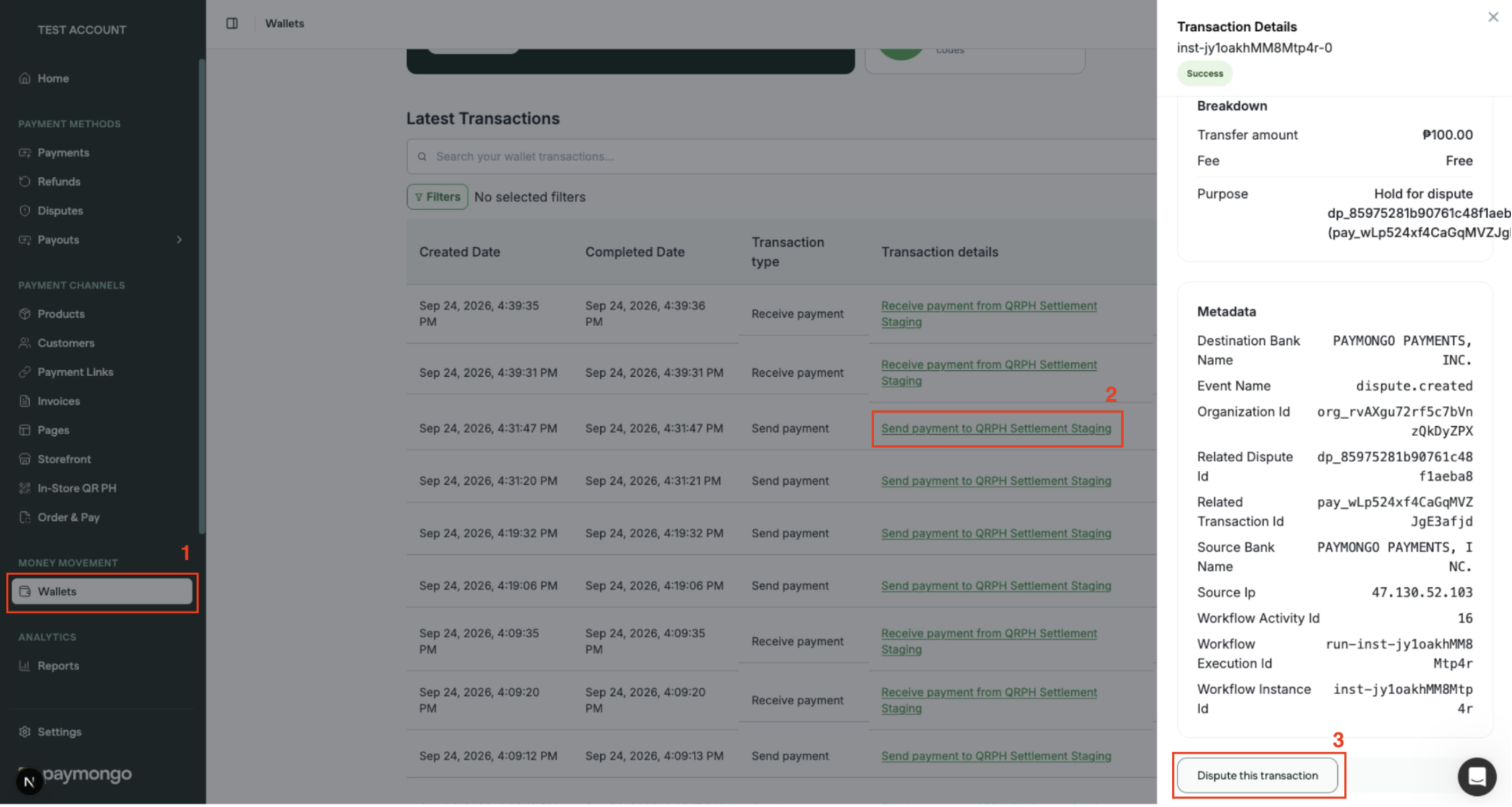
You will then be redirected to the Dispute Complaint form to fill out several details such as:
- Your contact information (full name, email address, and phone number)
- The transaction details (date, time, amount, and currency)
- The product, service, or channel involved
- The reason you’re disputing the transaction
- Proof of the issue, such as screenshots or payment and order confirmations
- The related invoice or billing statement
- A photo of a valid ID
Please raise disputes only for genuine issues, and make sure the information you give us is accurate and complete. Filing in good faith helps us resolve valid cases quickly and fairly for everyone involved.
Note: Disputes can only be raised by accessing the desktop portal. We are looking to make this available on our mobile app in the future.
What happens after you file
Once we receive your request, we’ll confirm the details and check that the transaction is eligible for a dispute within 3 business days. Please note that the cut off time for submission of forms is 5:00 PM (Philippine Time). Forms submitted past cut off will be processed on the next business day (excluding Weekends and Holidays).
We may come back to you for more information or supporting documents to strengthen your case. If we do, please reply promptly. If we don’t hear back within 7 calendar days, we’ll proceed based on the information you’ve already provided.
When your case is ready, PayMongo files it with the relevant institution on your behalf, whether that’s the receiving bank for transfers or the issuing bank for card payments, and manages the case through to a decision. We’ll keep you informed along the way, including if the other institution asks for further verification. Your personal information is always protected throughout the process.
How we’ll keep you updated
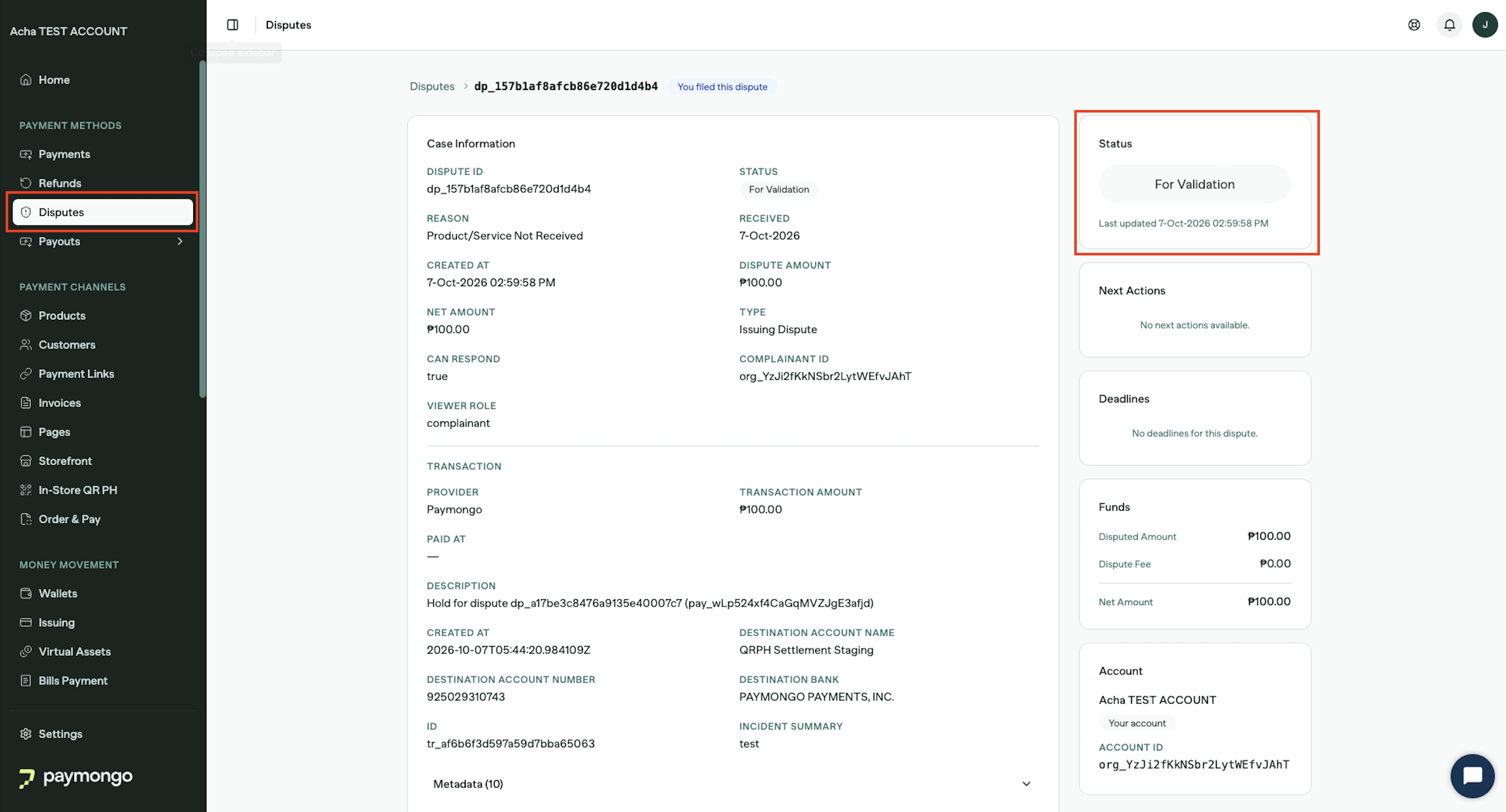
We update you at each key stage of your dispute: when we receive your request, when the case has been filed, and when a decision is reached. Updates will be sent through both the Disputes tab on your dashboard and via email. If you have further questions on your case, reply to your dispute email or email us at [email protected] and we will share the latest status. Please keep the details of your original request on hand so we can locate your case quickly.
| EVENT | EXPECTED TIMELINE |
|---|---|
| 1st Feedback on Dispute Filing | 3 Business Days |
| Confirmation of Filing | 2 Business Days after 1st Feedback |
| Case Decision | Dependent on network scheme (Visa or Mastercard network typically takes 30-45 calendar days. QRPH can stretch to around 30 business days.) |
If your dispute succeeds
If the case is resolved in your favor, we return the recovered funds as soon as we receive them from the other institution. The transaction amount will be credited back to your wallet balance.
If your dispute isn’t successful
Dispute outcomes are determined by weighing the evidence from both you and the merchant against the official guidelines of card networks (such as Visa or Mastercard). If you have new information that was not part of your original case, contact us and we will let you know whether it can still be considered. If the outcome stands, you may still have other options:
- Work directly with the merchant. You can request a refund or negotiate a resolution with the seller outside the dispute process.
- Escalate a fraud case. For fraud involving transfers, you can raise the matter with the Bangko Sentral ng Pilipinas (BSP) through its Consumer Assistance Mechanism, or report it to the appropriate law enforcement authorities. You may reach the BSP at [email protected].
- Consider legal remedies. Depending on the amount and the circumstances, you may choose to pursue a small claims case or other legal action against the merchant.
Frequently asked questions
Is there a fee to raise a dispute?
No. There is no fee for raising a dispute.
Can I dispute more than one transaction at once?
Yes. If several transactions are affected by the same issue, include the details for each one and we can handle them together.
How long does a dispute take?
It depends on the payment type and how quickly the other institution responds, so timeframes vary from case to case. We will keep you updated at each stage.
What if the merchant resolves the issue directly after I have filed?
Let us know as soon as it is sorted out so we can close your dispute.
Can I cancel a dispute I have raised?
Yes, but only up until 30 days from when the case was filed. Contact us and we will stop the process if the case has not already been decided.
Getting help
If you have questions about a dispute or need help getting started, contact our disputes team at [email protected].
Updated about 2 hours ago